What Is Hugging Face? A Beginner’s Guide to Models, Datasets & Spaces
Artificial intelligence is evolving rapidly, but building an AI application from scratch can require significant time, computing power, data, and technical expertise. What if developers could discover ready-to-use AI models, explore datasets, and test interactive AI applications—all from one platform?
That is where Hugging Face comes in.
Hugging Face has become an important destination for AI developers, researchers, students, startups, and open-source enthusiasts. Its platform provides access to machine learning models, datasets, development tools, and interactive applications through a community-driven ecosystem.
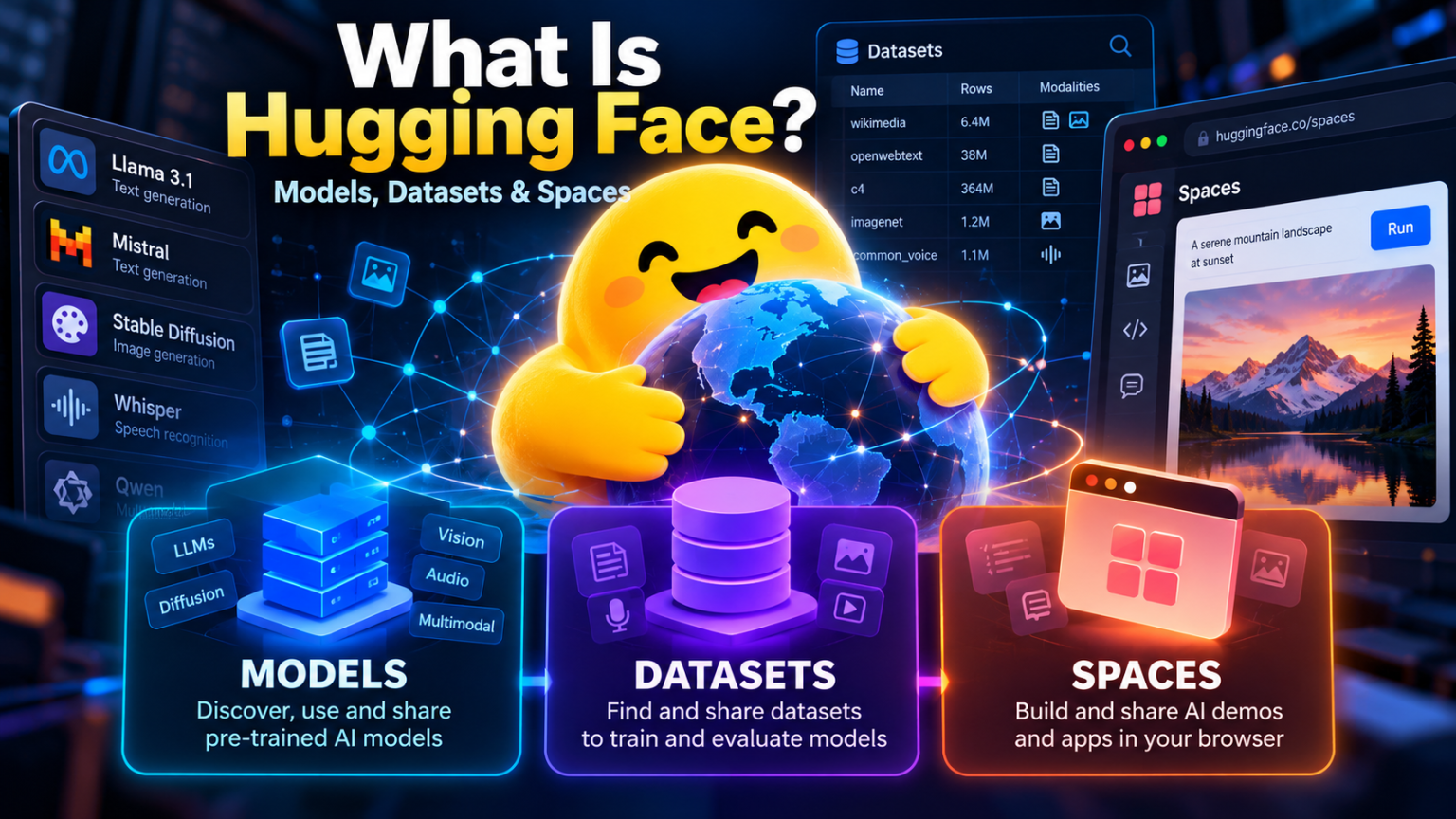
The three features at the heart of the platform are Models, Datasets, and Spaces. Understanding how they work together is a great starting point for anyone interested in AI.
In this guide, we will explain what Hugging Face is, how its main features work, how to get started, and how you can use it to build your own AI projects.
What Is Hugging Face?
Hugging Face is an AI platform and community where people can discover, share, develop, and experiment with machine learning technologies.
You can think of it as a combination of an AI model library, a dataset repository, a collaborative development platform, and a place to publish interactive AI demonstrations.
Instead of training every model from scratch, developers can often start with an existing model, adapt it to their needs, and integrate it into an application.
The Hugging Face Hub hosts repositories for models, datasets, and applications called Spaces. These repositories support version control and collaboration, making it easier for teams to track changes and share their work. See the official Hugging Face Hub documentation.
Why Is Hugging Face Popular?
Several features make Hugging Face useful across the AI ecosystem:
- Model discovery: Find models for text generation, image generation, translation, speech recognition, classification, and other tasks.
- Dataset access: Explore collections of data used for training, testing, and evaluating AI systems.
- Interactive demonstrations: Try selected AI applications directly in your browser.
- Developer tools: Use libraries and APIs to integrate models into Python applications and other workflows.
- Community collaboration: Share projects, documentation, improvements, and research with other developers.
Hugging Face is not itself one single AI model. It is a platform that helps people access and work with many different models and AI resources.
1. What Are Models on Hugging Face?
Models are one of the most important parts of the Hugging Face ecosystem.
A machine learning model is a system trained on data to perform a particular task. Depending on its design and training, a model might generate text, classify images, transcribe speech, answer questions, or produce images from prompts.
The Hugging Face Models Hub lets users search for and share models created by research organisations, companies, and individual developers.
Types of Models You Can Find
Large language models (LLMs)
These models process and generate text. Depending on their capabilities, they can assist with summarisation, question answering, writing, coding, and conversational applications.
Image-generation models
These models can create images from text prompts or transform existing images. Some can also support specialised image-editing workflows.
Speech and audio models
These models can perform tasks such as speech recognition, audio classification, and text-to-speech generation.
Computer vision models
These systems can classify images, detect objects, segment image regions, and perform other visual tasks.
Multimodal models
These models work with more than one kind of input or output, such as text and images or audio and text.
How Do You Use a Hugging Face Model?
A typical workflow looks like this:
- Visit the Models Hub.
- Search for a task, model name, language, or framework.
- Read the model card to understand its intended use and limitations.
- Check the license, hardware requirements, and supported software.
- Try an available demonstration or integrate the model into your own application.
For example, a developer creating a customer-support assistant might look for an instruction-following language model. Someone building a photo application could search for an image-generation or image-classification model.
Not every model is equally easy to run. Some can be tested through a hosted service, while others require downloading large files, installing dependencies, and using a suitable CPU or GPU.
What Is a Model Card?
A model card is documentation describing a model and its intended use. It may include information about the model’s training, supported tasks, evaluation results, limitations, and potential biases.
Reading the model card is important before using a model in a real application. Also check its license: a publicly downloadable model is not necessarily unrestricted for commercial use.
2. What Are Datasets on Hugging Face?
AI models learn patterns from data. Depending on the task, that data might consist of text, images, audio recordings, videos, or structured information.
A dataset is an organised collection of examples used for tasks such as model training, fine-tuning, validation, or evaluation.
The Hugging Face Datasets Hub provides a searchable collection of datasets that developers and researchers can explore and use in their projects.
Examples of Datasets
- Text datasets: Articles, documents, conversations, and text samples.
- Image datasets: Pictures with labels or annotations for computer vision.
- Audio datasets: Speech recordings and other sound samples.
- Code datasets: Programming examples used in code-related research and model development.
- Multilingual datasets: Text or speech resources covering multiple languages.
A dataset’s usefulness depends on the task, its quality, its coverage, and whether its use is permitted.
Why Are Datasets Important?
Suppose you want to build an AI system that identifies customer sentiment in product reviews.
You could collect and label examples of positive, negative, and neutral reviews. Alternatively, you might find an existing dataset that provides a useful starting point.
A dataset can help you:
- Train a new model.
- Fine-tune an existing model for a specialised task.
- Test a model against examples it has not seen during training.
- Compare different models using consistent evaluation data.
- Investigate how performance changes across languages or types of input.
Hugging Face provides tools for browsing dataset information and, for supported datasets, inspecting examples through the browser. Its Datasets documentation explains how to discover and work with these resources.
How Do You Use a Dataset?
Start by visiting the Datasets Hub and searching for the subject or task you are interested in. Open the dataset page, read its documentation, and check the available files and formats.
Before using a dataset, examine its license, provenance, privacy implications, and any restrictions on redistribution or commercial use. A dataset being publicly accessible does not automatically mean every possible use is permitted.
3. What Are Hugging Face Spaces?
Models and datasets provide the building blocks for AI projects. Spaces make it possible to present an AI project as an interactive application.
Hugging Face Spaces hosts demonstrations and applications that people can open in a web browser. They can be used to showcase a model, build a prototype, demonstrate research, or create a simple tool for other people to try.
Explore applications in the Hugging Face Spaces directory.
What Can You Build With Spaces?
Examples include:
- A chatbot that answers questions.
- An image generator that turns text prompts into pictures.
- A speech-to-text application.
- A document summariser.
- An image-classification demonstration.
- A translation tool.
- A research prototype that lets users test a new model.
Spaces supports different ways to build applications, including Gradio, Streamlit, static HTML, and Docker-based applications. The available options depend on the chosen configuration and the current platform support.
How Do Spaces Work?
A typical project follows these steps:
- Create a Space on Hugging Face.
- Select a supported software setup, such as Gradio or Docker.
- Add your application code and dependencies.
- Connect your application to a model or other resources, if required.
- Test the application and publish it according to your chosen visibility settings.
For example, you could build a Gradio interface with a text box, connect it to a suitable text-generation model, and display the response on the page. People could then try the application without installing your development environment.
Read the official Spaces documentation for setup details.
Are Hugging Face Spaces Free?
Some Spaces can run at no cost, but free availability has limitations. Static Spaces are free, while compute-backed applications may have restrictions or require a paid plan depending on the account, configuration, and hardware.
More demanding applications may need a GPU or additional resources. Free applications can also sleep after periods of inactivity, depending on their configuration.
Check the current Hugging Face pricing page before planning a production deployment.
Models vs Datasets vs Spaces: What Is the Difference?
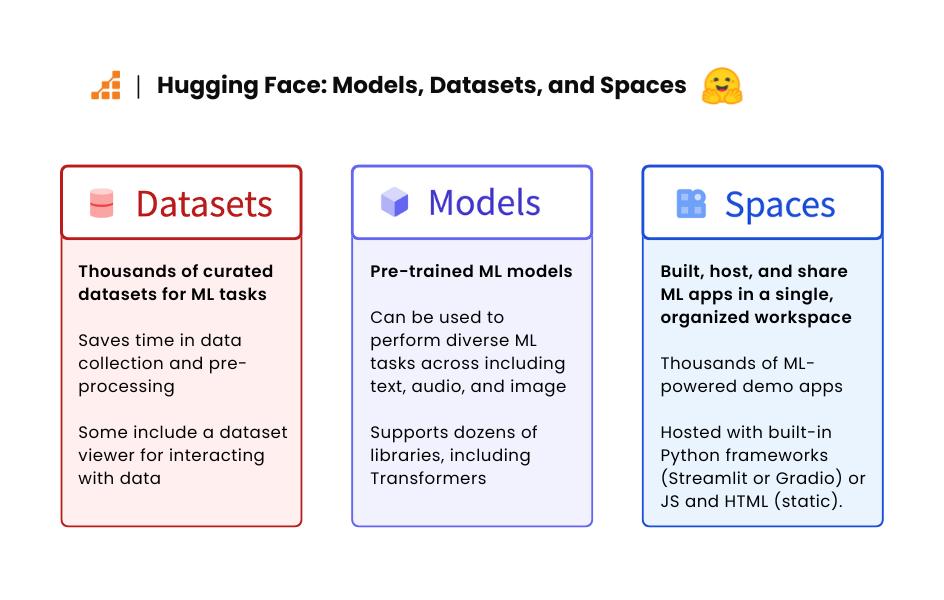
Although these three features work together, they serve different purposes.
| Feature | Main purpose | Example |
|---|---|---|
| Models | Perform an AI task | Generate a response to a question |
| Datasets | Provide collections of data | Examples of customer reviews |
| Spaces | Present an interactive application | A browser-based sentiment analyser |
An easy way to remember the distinction is that models provide AI capabilities, datasets provide examples and information, and Spaces provide a way to interact with applications.
A single project may use all three.
For instance, an AI document assistant might use a language model, a dataset to evaluate its performance, and a Space that lets users upload text and view a summary.
4. Hugging Face Tools and Libraries You Should Know
The Hugging Face ecosystem extends beyond the website. Several libraries help developers use models and datasets in their own code.
Transformers
The Transformers library provides tools for working with a wide range of pretrained models across text, vision, audio, and multimodal tasks.
It is a common starting point for developers who want to load a supported model and integrate it into a Python application.
Datasets
The Datasets library helps developers load and process datasets for machine learning. It supports workflows such as filtering, transforming, and streaming supported datasets.
Diffusers
The Diffusers library provides tools for working with diffusion models, including models used for image generation and related creative tasks.
Tokenizers
The Tokenizers library provides fast tokenisation tools. Tokenisation converts text into units a model can process.
These tools are useful because developers can move from browsing a model on the website to using it programmatically in a project.
5. How to Get Started With Hugging Face
You do not need to train a model on your first day. Start by exploring existing resources and testing a small project.
Step 1: Create an Account
Visit Hugging Face and create an account if you want to save projects, contribute resources, or publish your own work.
You can browse many public resources without creating an account.
Step 2: Explore Models
Open the Models Hub and search for a task that interests you, such as text generation, translation, image classification, or speech recognition.
Review the model card, supported framework, license, and hardware requirements.
Step 3: Explore Datasets
Visit the Datasets Hub and find a dataset related to your chosen task. Inspect its documentation and examples, and make sure you understand the permitted uses.
Step 4: Try a Space
Open the Spaces directory and experiment with a few applications. This is a simple way to see what different models can do before writing any code.
Step 5: Build a Small Project
Choose a manageable goal, such as a text summariser or sentiment-analysis demo. Use an appropriate model, test it with suitable examples, and create a simple interface.
Step 6: Share and Improve
If you want to publish your project, create a Space or repository and document how it works. Include limitations, setup instructions, and relevant licensing information.
Starting small helps you learn how the different parts of the ecosystem fit together.
6. Hugging Face for Developers, Students, and Businesses
Hugging Face serves people with different levels of technical experience.
For beginners: Spaces provide a practical way to explore AI applications without setting up a full development environment.
For developers: Models, datasets, and libraries can reduce the work required to prototype an AI feature.
For researchers: The platform supports sharing models, documenting experiments, and making datasets available to other researchers.
For startups: Teams can use existing resources to test ideas before investing in a larger training or deployment project.
For educators: Models and Spaces can help demonstrate machine learning concepts through interactive examples.
However, a prototype that works in a demonstration is not automatically ready for production. Businesses still need to evaluate accuracy, security, privacy, reliability, cost, and performance.
7. Is Everything on Hugging Face Open Source?
No. This is an important distinction.
Hugging Face hosts many openly shared projects, but the platform itself contains resources with different licensing terms and access restrictions.
A model may be publicly visible while still imposing conditions on commercial use or redistribution. A dataset may contain material with privacy or usage restrictions. Some models are gated and require users to accept specific terms before downloading or accessing them.
Before using a resource, check:
- The model or dataset license.
- Whether commercial use is permitted.
- Whether attribution is required.
- Whether there are restrictions on redistribution or modification.
- Whether access requires approval or acceptance of terms.
- Whether the resource is appropriate for your intended application.
For organisations, licensing and data governance should be part of the initial evaluation—not an afterthought.
8. Hugging Face Limitations to Consider
Hugging Face makes AI resources easier to discover and use, but it does not remove every technical challenge.
Hardware requirements: Large models can require substantial memory and computing power.
Quality varies: Community resources differ in accuracy, documentation, maintenance, and suitability.
Deployment costs: Hosted inference and compute-backed applications may incur costs, especially when demand or hardware requirements increase.
Security and privacy: You should assess the code, dependencies, model behaviour, and handling of user data before deploying a project.
Licensing complexity: Different models and datasets can have different terms, even when they are hosted on the same platform.
Performance limitations: A model that performs well on a demonstration may struggle with real-world data or specialised tasks.
These considerations do not diminish the value of the platform. They help you choose resources responsibly and set realistic expectations.
Conclusion: Why Hugging Face Matters for AI
Hugging Face has helped make machine learning resources more accessible by bringing models, datasets, development tools, and interactive applications together in one ecosystem.
Its three core features have complementary roles:
- Models let you discover and use pretrained AI systems.
- Datasets help you find data for training, fine-tuning, and evaluation.
- Spaces let you build and share interactive AI applications.
Whether you are learning AI for the first time, developing a prototype, conducting research, or exploring new tools for your business, Hugging Face offers a practical starting point.
The best way to learn is to explore a model, inspect a dataset, and try a Space. Once you understand how those pieces fit together, you can begin building projects of your own.
Start exploring at Hugging Face and discover what you can create with the global AI community.
Frequently Asked Questions
What is Hugging Face used for?
Hugging Face is used to discover and share machine learning models, access datasets, build AI demonstrations, and integrate AI resources into applications.
Is Hugging Face free to use?
Many public resources can be explored for free. Some hosted services, compute resources, gated models, and deployment options may have usage restrictions or costs.
Do I need coding skills to use Hugging Face?
Not always. You can explore model pages and try available Spaces through a browser. Building custom applications or integrating models generally requires some programming knowledge.
What is the difference between Hugging Face and ChatGPT?
ChatGPT is an AI assistant product. Hugging Face is a broader platform for discovering, sharing, developing, and demonstrating many different AI models and applications.
Can I use Hugging Face models commercially?
It depends on the specific model and its license or access terms. Always check the terms for the exact resource you plan to use.
What should beginners learn first?
Start by exploring a few Spaces, reading model cards, and trying a small project. If you want to code, learning basic Python and experimenting with the Transformers library is a useful next step.