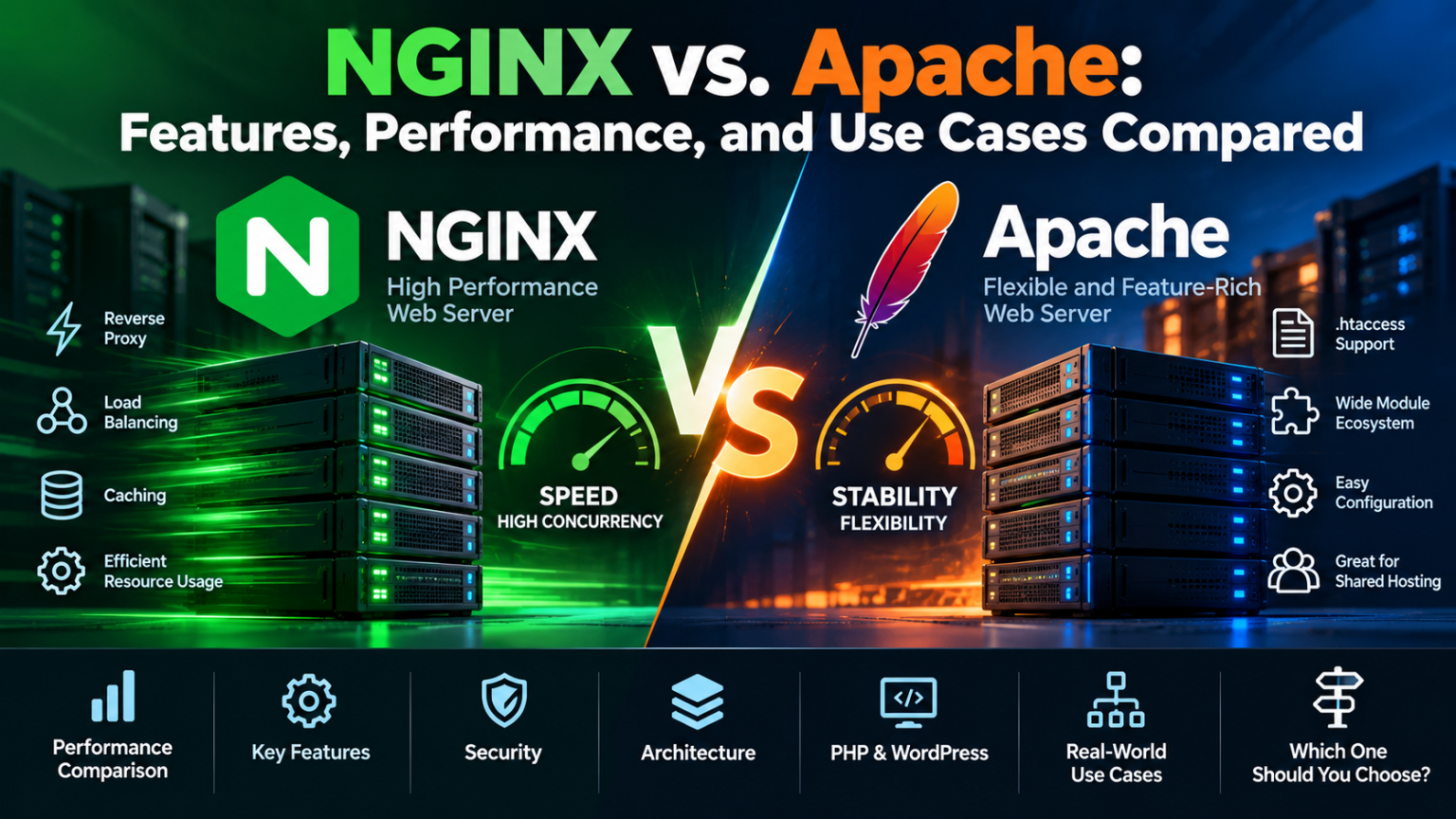
NGINX vs. Apache: Features, Performance, and Use Cases of Web Servers Explained
NGINX and Apache are two of the most widely used web servers in the world. But which one is better for your website, application, or hosting server?
Choosing a web server is one of the fundamental decisions when deploying a website or web application.
For many years, Apache HTTP Server was the default choice for Linux hosting. It became particularly popular because of its flexibility, extensive module ecosystem, .htaccess support, and compatibility with PHP-based applications.
Then came NGINX.
NGINX introduced a different architecture focused heavily on efficient event-driven connection handling, static content delivery, reverse proxying, caching, and high concurrency.
Today, both remain important.
The real question isn’t:
“Is NGINX faster than Apache?”
The better question is:
“Which web server architecture is better suited to my workload?”
What Is a Web Server?
A web server is software that receives HTTP or HTTPS requests from clients and returns responses.
For a typical website, the process looks something like this:
Browser → DNS → Web Server → Application → Database → Response
The web server can be responsible for:
- Accepting HTTP/HTTPS connections
- Serving static files
- Handling TLS
- Routing requests
- Rewriting URLs
- Connecting to application servers
- Managing virtual hosts
- Controlling access
- Logging requests
- Proxying traffic
- Caching content
Apache and NGINX can both perform many of these functions, but they approach them differently.
Apache vs. NGINX at a Glance
| Feature | Apache | NGINX |
|---|---|---|
| Architecture | Process/thread-based MPMs | Event-driven |
| Static content | Excellent | Excellent |
| Dynamic applications | Excellent | Excellent with upstream/application servers |
.htaccess |
Yes | No |
| Reverse proxy | Yes | Excellent |
| Load balancing | Yes | Excellent |
| Configuration | Flexible | Centralized and efficient |
| Module ecosystem | Very large | Modular |
| Shared hosting | Excellent | Excellent |
| High concurrency | Excellent with modern MPMs | Excellent |
| PHP | mod_php or PHP-FPM | Typically PHP-FPM |
| Resource efficiency | Depends on MPM/configuration | Often very efficient |
| Ease for traditional hosting | Excellent | Requires different administration model |
| Container/microservice environments | Good | Excellent |
| CDN/reverse-proxy role | Good | Excellent |
There is no universal winner.
The right choice depends on how the server is being used.
Apache: The Traditional Hosting Powerhouse
Apache HTTP Server has been around since the mid-1990s and remains actively developed.
The current Apache 2.4 branch provides support for modern TLS, HTTP/2, reverse proxying, caching, virtual hosts, dynamic modules and multiple multiprocessing models. Apache 2.4.69 was released on October 1, 2026.
One of Apache’s biggest strengths is flexibility.
Its architecture allows administrators to enable and configure a very large ecosystem of modules.
Examples include modules for:
- URL rewriting
- Authentication
- Authorization
- Proxying
- SSL/TLS
- Headers
- Compression
- Caching
- PHP integration
- Security controls
Apache also supports per-directory .htaccess configuration, which is particularly important in shared hosting environments.
Why .htaccess Matters
One of Apache’s most important advantages is .htaccess.
A website owner can configure certain Apache behaviors from inside the website directory without requiring administrator access to the main server configuration.
For example, WordPress commonly uses .htaccess for URL rewriting.
This is extremely convenient for shared hosting.
Imagine a server hosting hundreds of independent customers.
With Apache, a customer can often modify supported web-server behavior through their own .htaccess file without asking the hosting provider to modify the global Apache configuration.
That makes Apache particularly attractive for:
- Shared hosting
- WordPress hosting
- Reseller hosting
- Legacy PHP applications
- CMS platforms
- Hosting environments where customers need configuration flexibility
NGINX deliberately does not provide an equivalent .htaccess mechanism.
NGINX: Designed Around Event-Driven Processing
NGINX takes a different approach.
Its architecture uses a master process and worker processes, with workers handling many connections using an event-driven model. On Linux, NGINX can use mechanisms such as epoll to efficiently process network events.
This architecture is one of the reasons NGINX became popular for high-concurrency workloads.
Instead of creating a large amount of process or thread overhead for every connection, NGINX can efficiently manage many connections within a relatively small number of worker processes.
NGINX documentation describes its architecture as using a master process and multiple worker processes, while its event model allows workers to process multiple connections efficiently.
This makes NGINX particularly attractive for:
- High-traffic websites
- Reverse proxies
- API gateways
- Microservices
- Static websites
- Content delivery
- Load balancing
- Application front ends
- Containerized workloads
NGINX vs. Apache Performance
This is where many comparisons become misleading.
You will often see:
“NGINX is faster than Apache.”
That statement is too simplistic.
Performance depends on:
- CPU
- RAM
- Storage
- Network
- TLS configuration
- HTTP version
- Application code
- Database performance
- PHP configuration
- Caching
- Compression
- Traffic patterns
- Apache MPM
- NGINX worker configuration
A poorly configured NGINX server can perform worse than a properly configured Apache server.
Likewise, modern Apache is significantly more capable than the old process-per-request setups that gave it a reputation for being resource-heavy.
Apache’s multiprocessing architecture is based around MPMs, and the project supports multiple approaches to handling connections. Its modern architecture should therefore be evaluated rather than assuming that all Apache installations behave like older versions.
Where NGINX Usually Has an Advantage
NGINX is particularly strong when the workload contains many simultaneous connections.
For example:
10,000 clients → NGINX → application servers
NGINX can act as an efficient front-end layer while application servers handle dynamic processing.
This architecture separates responsibilities:
NGINX
Handles:
- TCP connections
- TLS
- Static files
- Compression
- Caching
- Request routing
- Rate limiting
- Reverse proxying
Application server
Handles:
- PHP
- Python
- Node.js
- Java
- Go
- Other application workloads
This is one of the most common reasons NGINX is used in modern application architectures.
NGINX as a Reverse Proxy
One of NGINX’s strongest use cases is reverse proxying.
The architecture can look like:
Internet
↓
NGINX
↓
Application Server 1
Application Server 2
Application Server 3
NGINX can distribute incoming requests across multiple application servers.
The official NGINX documentation supports multiple load-balancing methods, including round-robin, least-connected and IP-hash approaches.
This makes NGINX particularly useful when an application needs to scale horizontally.
Apache Can Also Be Used as a Reverse Proxy
Apache is not limited to traditional website hosting.
It also supports:
- Reverse proxying
- Load balancing
- HTTP/2
- Caching
- TLS
- Authentication
- Dynamic modules
Apache’s official project describes its current capabilities as including reverse proxying, content caching, flexible virtual hosts and a large module ecosystem.
Therefore, choosing NGINX does not mean choosing the only capable reverse-proxy platform.
It simply means choosing an architecture that is particularly optimized around this style of traffic management.
PHP and WordPress: Which One Is Better?
This is one of the most important questions for hosting providers.
A typical WordPress stack can look like:
Apache
Apache → PHP → WordPress → MariaDB
Or:
NGINX
NGINX → PHP-FPM → WordPress → MariaDB
Both architectures can deliver excellent performance.
For WordPress, the biggest performance gains often come from:
- PHP version
- PHP-FPM configuration
- OPcache
- Object caching
- Page caching
- Database optimization
- CDN
- Image optimization
- Good plugins
- Efficient themes
Therefore, switching from Apache to NGINX does not automatically make a slow WordPress website fast.
A poorly optimized WordPress installation will remain slow regardless of the web server.
Apache vs. NGINX for Shared Hosting
For traditional shared hosting, Apache still has an important advantage:
Ease of per-account configuration.
A shared hosting customer may need to change:
- URL rewriting
- Redirects
- Access controls
- Headers
- PHP behavior
- Directory rules
Apache’s .htaccess system makes many of these tasks straightforward within a hosting environment.
NGINX requires configuration changes at the server or included-configuration level instead.
This isn’t necessarily a disadvantage for managed infrastructure.
But it is a significant difference in the operating model.
NGINX for High-Traffic Websites
NGINX is particularly attractive when a website has large numbers of concurrent connections.
Consider a website receiving:
100 requests/second
versus:
10,000 requests/second
The web server’s ability to efficiently handle connections becomes increasingly important.
NGINX’s event-driven architecture is designed for high concurrency and efficient network I/O.
It can also cache static and proxied content, reducing the amount of work that needs to reach the application layer.
Static Content: NGINX vs. Apache
For static content such as:
- HTML
- CSS
- JavaScript
- Images
- Fonts
- Videos
- Downloads
both servers are highly capable.
NGINX was designed with efficient static content delivery as one of its core use cases.
Its official feature list includes static-file serving, caching and optimized proxying.
Apache is also fully capable of serving static content efficiently.
For most websites, however, the difference between the two may be far less important than:
- Storage performance
- CDN usage
- Compression
- Browser caching
- Image sizes
- Network latency
Security: Which Is More Secure?
Neither Apache nor NGINX should automatically be considered “more secure.”
Security depends heavily on:
- Configuration
- Software versions
- Modules
- TLS settings
- File permissions
- Application vulnerabilities
- Authentication
- Firewall rules
- Monitoring
- Patch management
Both projects are actively maintained.
For example, the Apache project continues to publish security fixes through its 2.4 branch, while NGINX also regularly publishes stable and mainline releases containing security fixes.
The safest server is generally the one that is:
properly configured + regularly updated + monitored + hardened.
NGINX vs. Apache Resource Usage
Resource usage depends heavily on configuration.
However, NGINX’s event-driven model can provide very efficient connection handling, particularly when serving static content or acting as a reverse proxy.
This can make it attractive for:
- Smaller VPS servers
- High-connection workloads
- API infrastructure
- Reverse proxies
- Load balancers
- Edge servers
Apache can also be highly efficient when configured with an appropriate MPM and workload.
The old assumption that:
Apache = resource hungry
is no longer a useful way to evaluate modern Apache installations.
Configuration: Apache Is More Familiar to Many Hosting Administrators
Apache’s configuration style is mature and extensively documented.
Many hosting administrators have years of experience with:
- VirtualHosts
.htaccessmod_rewritemod_sslmod_proxymod_headers- Apache MPMs
This creates an enormous operational advantage.
A technology does not have to be theoretically faster to be economically better.
If a hosting company already has:
- Experienced Apache administrators
- cPanel
- Existing automation
- Monitoring
- Security tooling
- Customer documentation
- Deployment scripts
then migrating to NGINX may provide less benefit than expected.
NGINX Configuration Is More Centralized
NGINX generally uses centralized configuration rather than per-directory .htaccess files.
This can make configuration management more predictable.
For infrastructure teams managing servers through automation, configuration can be maintained using tools such as:
- Ansible
- Terraform
- Configuration management systems
- CI/CD pipelines
- Infrastructure-as-code workflows
That is particularly useful for modern cloud infrastructure.
NGINX vs. Apache for APIs
For API-heavy environments, NGINX is frequently used as a front-end proxy.
A common architecture is:
Client
↓
NGINX
↓
API Gateway / Application
↓
Database / Services
NGINX can handle:
- TLS termination
- Connection management
- Request routing
- Rate limiting
- Reverse proxying
- Load balancing
- Static assets
This reduces the amount of network-management work that application servers need to perform.
NGINX vs. Apache for Microservices
Modern applications are often composed of multiple services.
For example:
NGINX
↓
Authentication Service
API Service
Payment Service
User Service
Media Service
NGINX can route requests to different upstream services based on URL, hostname and other request characteristics.
Its reverse-proxy and load-balancing capabilities make it well suited to this architecture.
Apache can also perform reverse proxying, but NGINX is particularly common as the front-end traffic layer in these environments.
Can You Use Apache and NGINX Together?
Yes.
In fact, this is an extremely useful architecture.
A common configuration is:
Internet → NGINX → Apache → PHP
NGINX handles:
- SSL
- Static files
- Caching
- Compression
- Connection management
- Reverse proxying
Apache handles:
.htaccess- Application-specific rules
- Legacy applications
- PHP integration
This approach provides a combination of NGINX’s front-end capabilities and Apache’s application compatibility.
However, adding another layer also adds complexity.
For a simple website, two web servers may be unnecessary.
When Should You Choose Apache?
Apache is an excellent choice when:
You run shared hosting
.htaccess and per-account configuration are major advantages.
You host WordPress
Especially when customers need .htaccess compatibility.
You operate legacy applications
Some older applications expect Apache-specific modules or behavior.
You need extensive module compatibility
Apache has an enormous module ecosystem.
Your team already knows Apache
Operational familiarity has real value.
You use cPanel
Apache remains deeply integrated into traditional cPanel hosting environments.
When Should You Choose NGINX?
NGINX is particularly attractive when:
You need a reverse proxy
NGINX is excellent as the front-end layer for application servers.
You have high concurrency
Its event-driven architecture is designed to handle many simultaneous connections efficiently.
You serve large amounts of static content
NGINX is optimized for efficient static delivery.
You are building APIs
NGINX works well as an API front end.
You use containers
NGINX can sit in front of containerized applications.
You need load balancing
NGINX provides built-in HTTP load-balancing capabilities.
You want centralized configuration
NGINX fits well into automated infrastructure-management workflows.
Which Is Better for Hosting Providers?
For hosting providers, the answer is more complicated.
A traditional shared hosting company may benefit from:
Apache + PHP-FPM + MariaDB + caching
because customer compatibility and .htaccess support are important.
A modern VPS or application-hosting provider may prefer:
NGINX + PHP-FPM
or:
NGINX + Node.js
or:
NGINX + Python
depending on the application.
A larger infrastructure provider may use both.
For example:
NGINX at the edge → application servers → databases
while maintaining Apache-based environments for customers who need traditional shared hosting.
Performance Is About the Entire Stack
One of the biggest mistakes is choosing a web server in isolation.
Consider this stack:
NGINX
↓
PHP-FPM
↓
WordPress
↓
MariaDB
↓
Slow database query
If the database query takes 1 second, changing the web server may not produce a meaningful improvement.
Likewise:
Apache
↓
PHP-FPM
↓
WordPress
↓
Redis object cache
↓
Optimized MariaDB
could outperform a poorly optimized NGINX deployment.
The web server is only one component.
The Real Performance Formula
For most websites:
Performance = Infrastructure + Web Server + Application + Database + Cache + Network
Not:
Performance = NGINX
or:
Performance = Apache
This distinction is important when planning infrastructure upgrades.
Before switching web servers, measure:
- Time to first byte
- CPU usage
- Memory usage
- PHP execution time
- Database latency
- Cache hit ratio
- Network latency
- Concurrent connections
- Requests per second
- Error rate
Then identify the actual bottleneck.
Final Verdict: NGINX or Apache?
There is no universal winner.
Choose Apache if:
Compatibility and flexibility are your priorities.
Apache remains an excellent option for shared hosting, WordPress, legacy applications and environments where .htaccess and per-directory configuration are important.
Choose NGINX if:
Efficiency, reverse proxying, high concurrency and modern application architecture are your priorities.
NGINX is particularly strong as a front-end proxy, static-content server, load balancer and application gateway.
Choose both if:
You need the strengths of each.
A hybrid architecture can use NGINX as the public-facing layer and Apache behind it for applications requiring Apache compatibility.
The Bottom Line
The Apache vs. NGINX debate has been going on for years.
But the industry has moved beyond the simple question:
“Which web server is faster?”
The more useful question is:
“Which architecture is best for this workload?”
Apache remains a powerful, mature and highly extensible web server. Its .htaccess support, module ecosystem and compatibility make it particularly valuable in traditional hosting environments.
NGINX provides an event-driven architecture that is particularly well suited to high concurrency, reverse proxying, load balancing, caching and modern application infrastructure.
For a small WordPress website, the difference may be almost irrelevant compared with good caching, PHP configuration and application optimization.
For a large API platform serving thousands of concurrent connections, the architecture becomes much more important.
And for hosting providers, the best answer may not be Apache or NGINX.
It may be:
Apache where compatibility matters.
NGINX where scalability matters.
And both where the architecture demands it.
The best web server is ultimately the one that matches the application, traffic pattern, operational model and skills of the team managing it.