For years, Adobe Creative Cloud has felt like the default choice for anyone doing serious creative work. Need to edit photos? Photoshop. Design a logo? Illustrator. Cut a video? Premiere Pro. Build a magazine? InDesign. Work with PDFs? Acrobat. The familiar workflow came with a familiar price: a recurring subscription.
But that assumption is being challenged. In 2026, free tools have become good enough to handle a surprisingly large share of everyday creative work. Some are mature open-source applications; others are commercial products with genuinely useful free versions. A new wave of AI-assisted projects is even trying to recreate the look and workflow of Adobe apps.
So, is Adobe actually dying? Not quite. But the days when creators had to choose Adobe simply because there was no credible alternative are fading fast. Here is the state of play as of 12 November 2026, including the tools worth trying and the gaps you should understand before cancelling a subscription.
First, is Adobe really in trouble?
Adobe faces a genuine competitive challenge, especially among freelancers, students, small businesses and creators who mainly need a handful of core features. AI image generators, browser-based editors and capable open-source tools have lowered the barrier to producing professional-looking work.
That does not mean the company is disappearing. Adobe still has a huge installed base, established professional workflows, file-format compatibility, enterprise contracts, stock assets, fonts, collaboration services and deep integrations across its applications. Those are difficult advantages to reproduce all at once.
And Adobe is not standing still. At Adobe MAX on 10 November 2026, it announced expanded Creative Agent capabilities, Firefly updates and previews of local Model Context Protocol (MCP) integrations for Photoshop, Illustrator, Premiere and After Effects. The direction is clear: Adobe wants its tools to become more connected to AI assistants and automated creative workflows, rather than simply defend the old desktop-app model.
The more useful question is not whether Adobe will vanish. It is whether every creator still needs to pay for the entire Adobe ecosystem. For many people, the answer is now no.
The free alternatives: app by app
There is no single free application that perfectly replaces every Creative Cloud feature. The realistic approach is to build a toolkit: one app for photo editing, another for vector graphics, a dedicated video editor and so on. The good news is that several of these tools are mature enough for real projects.
1. Photoshop alternatives: Affinity, GIMP and Photopea
Affinity is one of the biggest reasons the conversation has changed. The former Serif creative apps have been brought together under the Affinity name, and the core professional design tools are available free of charge. It covers much of the work people traditionally split between photo editing, vector design and page layout. Some AI-powered features and services may still sit behind Canva plans, so check the current feature and account requirements.
GIMP remains a strong choice for image manipulation, retouching, compositing and graphics. It is free and open source, runs on Windows, macOS and Linux, and does not require a subscription. Its interface and certain professional workflows differ from Photoshop, so allow time to learn it.
Photopea is a browser-based editor that can open and save PSD files. It is handy when you need to make a quick change without installing software. Its free experience is ad-supported, and browser performance depends on the size of your files and your computer.
Which should you choose? Try Affinity for a broad professional design workflow, GIMP if open-source software matters to you, and Photopea when PSD compatibility and convenience are the priority.
2. Illustrator alternatives: Inkscape and Affinity
Inkscape is a capable open-source vector editor for logos, icons, diagrams, illustrations and scalable graphics. Its native format is SVG, which is widely used on the web. It can export to formats used by printers and other design tools, but complex Illustrator documents may need cleanup when moved between applications.
Affinity also offers vector design tools in its combined creative workspace. For many brand assets, social graphics and illustration projects, it can cover the work without a separate Illustrator subscription.
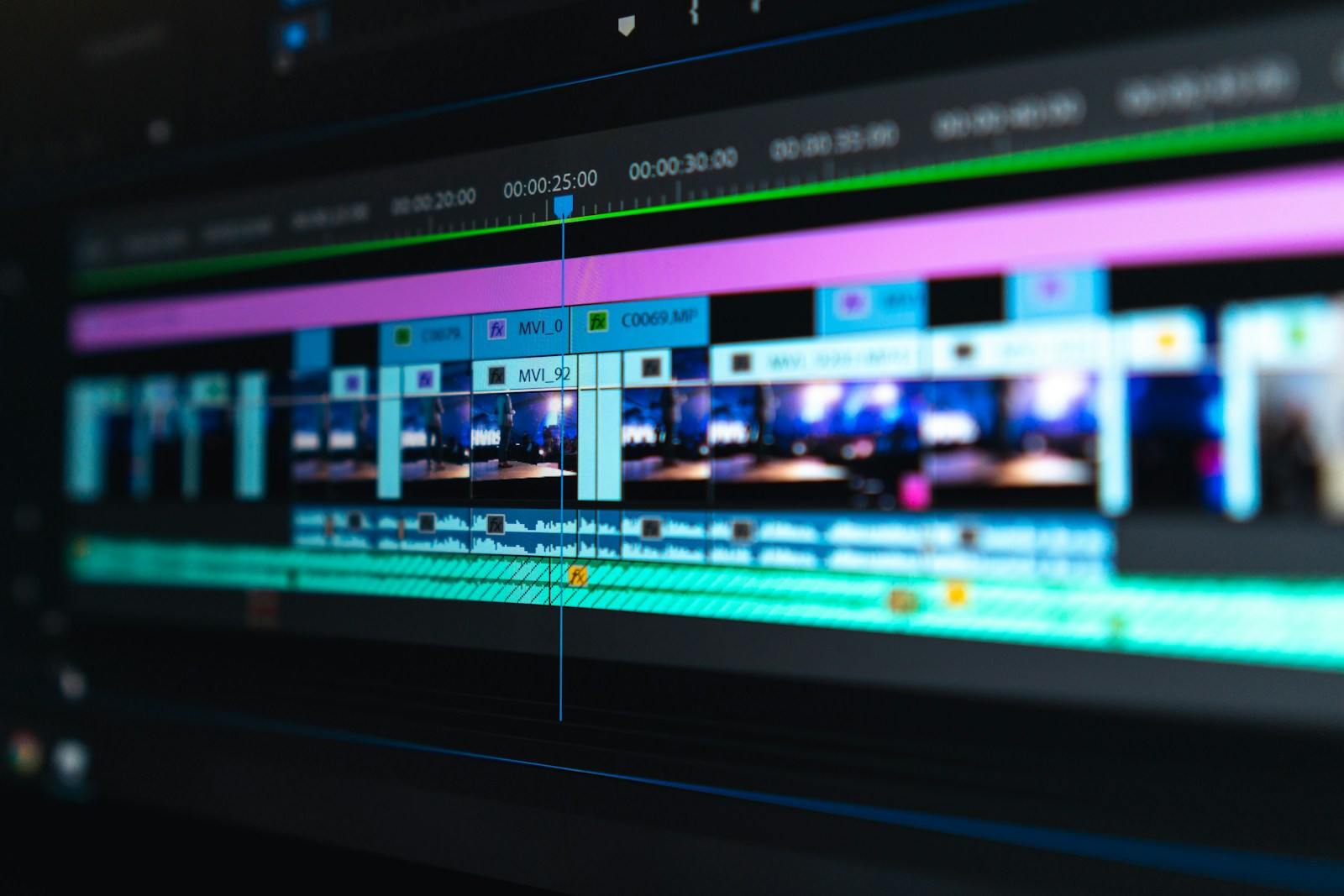
3. Premiere Pro alternatives: DaVinci Resolve and Kdenlive
DaVinci Resolve is arguably the strongest free video-editing option for creators who want a professional timeline, editing, colour correction, visual effects and audio post-production in one application. Its free version is powerful, while the paid Studio edition unlocks additional features and workflows. Resolve is proprietary software, not open source.
Kdenlive is a free and open-source video editor. It is a good fit for YouTube videos, tutorials, interviews and general editing, especially for users who prefer an open-source workflow. It may not match every advanced studio feature or collaboration pipeline found in Premiere.
4. Lightroom alternatives: darktable and RawTherapee
darktable is an open-source photography workflow application for managing and developing RAW images. It offers non-destructive editing and a catalogue-oriented workflow that will feel familiar to photographers who use Lightroom.
RawTherapee focuses on high-quality RAW processing and detailed image adjustments. It is worth considering if your priority is getting the best out of camera files rather than maintaining a large photo library.
5. InDesign alternatives: Affinity and Scribus
Scribus is a free, open-source desktop publishing application for brochures, newsletters, books and print-ready PDFs. It supports professional layout concepts and colour workflows, although its interface and collaboration features differ from InDesign.
Affinity’s layout tools are another option for magazines, brochures and multi-page design work. Before switching a production team, test master pages, typography, linked assets, preflight checks and print-house requirements with a real project.
6. After Effects alternatives: Blender and Natron
Blender is much more than a 3D modelling tool. Its compositor, animation system, motion tracking and video sequence editor can handle a range of motion-graphics and visual-effects jobs. It is free and open source, but it has a different workflow from After Effects and takes time to master.
Natron is a node-based compositing tool for visual effects. It is useful for compositing tasks, although it is not a direct replacement for every After Effects template, plugin or motion-graphics workflow.
7. Acrobat alternatives: built-in PDF tools, LibreOffice and PDFgear
For reading, annotating, merging and basic PDF tasks, many people do not need Acrobat Pro. Modern browsers can display PDFs, and tools such as LibreOffice can handle document editing and export. PDFgear offers a free PDF editing toolkit, but check its current terms, platform support and privacy policy before using it for sensitive documents.
Acrobat still has an advantage in some business workflows, particularly advanced forms, document comparison, enterprise administration, accessibility checks, e-signature integrations and specialised PDF production. Free tools can cover common tasks, but they are not automatically equivalent for regulated or high-volume document processes.
8. Audition alternatives: Audacity
Audacity is a free, open-source audio editor suitable for podcast recording, voice cleanup, trimming, noise reduction and general audio work. It is not a one-to-one replacement for Audition’s full multitrack production and professional audio restoration environment, but many creators will find it more than sufficient.
9. Animate, Character Animator and 3D tools
There is no single free tool that replaces every animation workflow. OpenToonz is an open-source 2D animation application, while Blender can handle 2D Grease Pencil animation as well as 3D work. For game-oriented interactive content, Godot is another free, open-source option.
Adobe’s Substance 3D tools, specialised character animation workflows and some professional publishing or e-learning features are harder to replace with one free application. The alternatives depend heavily on whether you are modelling, texturing, rigging, animating or building interactive content.
The surprising new entrant: AI-built Adobe-style apps
One of the more unusual developments in 2026 is the ArtCraft family of open-source projects from developer Brandon Thomas. The collection includes PhotoCraft, FilmCraft, VectorCraft, LightCraft, EffectCraft, DesignCraft and PdfCraft—projects aimed at familiar Photoshop, Premiere, Illustrator, Lightroom, After Effects, InDesign and Acrobat workflows.
These projects have attracted attention partly because AI coding tools helped accelerate development. They are interesting experiments: familiar interfaces, open code and an ambitious attempt to make creative software accessible without a subscription.
But there is a very important qualification. As of the latest reporting available by 12 November 2026, the Craft apps are still early alpha or pre-alpha projects. Their own roadmaps show significant work remaining, and some key file formats and professional workflows are incomplete. They are worth testing and following—not relying on as the only tool for a deadline-critical client project.
That distinction matters. A project can look like Photoshop, open an image and demonstrate a few impressive tools without being ready to replace years of production workflows, plugins, colour management, automation and compatibility.
Explore the projects through the Storytold GitHub organisation, and review the Digital Trends hands-on assessment before using them for important work.
A quick Adobe-to-free-alternative comparison
| Adobe application | Free alternatives to try | Best starting point |
|---|---|---|
| Photoshop | Affinity, GIMP, Photopea | Affinity / Photopea |
| Illustrator | Inkscape, Affinity | Inkscape |
| Premiere Pro | DaVinci Resolve, Kdenlive | DaVinci Resolve |
| Lightroom | darktable, RawTherapee | darktable |
| InDesign | Affinity, Scribus | Affinity / Scribus |
| After Effects | Blender, Natron | Blender |
| Acrobat Pro | LibreOffice, PDFgear, browser PDF tools | PDFgear / built-in tools |
| Audition | Audacity | Audacity |
| Animate | OpenToonz, Blender | OpenToonz |
| Substance 3D | Blender and other specialist tools | Depends on the task |
These are practical alternatives, not claims of identical feature sets. Check the exact feature, export format, plugin and collaboration requirements before moving a production workflow.
How much does Adobe cost in India?
Adobe’s India pricing page currently lists a range of plans and promotional offers. At the time of checking, Creative Cloud Pro was advertised at ₹1,199 per month including GST for the first year for eligible new subscribers, with a displayed regular price of ₹2,714 per month. The page describes access to more than 20 creative apps. Individual app offers and renewal prices differ, and promotions can change.
That makes the free alternatives especially attractive to students, independent creators and small businesses. Still, compare the real cost of switching: training time, missing features, paid plugins, file conversion, cloud storage and collaboration services can all matter. A free download is not always a zero-cost workflow.
Check the official Adobe India plans and pricing page for the latest terms rather than relying on a screenshot or an old price comparison.
Why Adobe is not simply giving up
Adobe’s announcements at MAX 2026 show a company trying to respond to the AI shift. It is expanding Creative Agent across Creative Cloud and Firefly, introducing more AI-assisted workflows, and previewing local MCP integrations that will let third-party AI agents work with native Photoshop, Illustrator, Premiere and After Effects project files. Adobe says those MCP integrations are planned for Creative Cloud customers in early 2027.
This is a significant strategic move. Rather than insisting that creators do every step inside one application, Adobe is preparing for a world where people may ask an AI assistant to organise assets, make edits or coordinate a workflow across different tools.
Adobe’s challenge is to make that ecosystem valuable enough to justify its price. Its advantage is not just a brush tool or a timeline; it is the complete chain of professional workflows, file compatibility, cloud services, team collaboration and industry familiarity.
Who can safely move away from Adobe?
Students and hobby creators: You can probably do most everyday work with free tools. Start with Affinity, GIMP, Inkscape, Audacity and DaVinci Resolve.
Freelancers: A switch may be practical if clients accept your export formats and you do not depend on Adobe-only templates, plugins or shared project files. Test a complete client job before cancelling.
Small businesses: Free software can reduce recurring costs for social graphics, basic video, PDF tasks and marketing assets. Standardise the toolset and document how staff exchange files.
Agencies, publishers and production studios: Be more cautious. Shared libraries, colour-managed pipelines, fonts, plug-ins, linked files, review systems and client handoffs can make switching expensive. A mixed environment may be more sensible than a full migration.
A sensible way to switch without breaking your workflow
- List the Adobe applications you actually use each month. Do not pay for tools that are sitting unused.
- Choose one alternative for each real task, not one app simply because it has the most features.
- Copy a few real projects and test import, export, fonts, layers, colour profiles and print output.
- Keep original Adobe project files and a backup while testing the new workflow.
- Check licences for commercial use, fonts, stock assets, templates and plugins.
- Train everyone who needs to open or edit the new files.
- Cancel only after a complete project has gone through the replacement workflow successfully.
So, is Adobe actually dying?
No—not as of 12 November 2026. Adobe remains a major creative software company, and its latest AI and agent announcements show it is adapting quickly. But something important has changed: creators have more credible choices, and many of those choices cost nothing.
The headline claim that free alternatives now cover literally everything Adobe makes is a little too strong. There are still specialist tools, professional workflows and integrations that do not have a direct free replacement. Some of the newest Adobe-style AI-built projects are promising but not production-ready.
Even so, if your work is mainly photo editing, vector design, video production, audio editing, page layout or everyday PDFs, you can build a surprisingly capable creative setup without paying Adobe every month. That is the real story: Adobe may not be dying, but the subscription lock-in is no longer as powerful as it once was.
Frequently asked questions
Is there a completely free alternative to Adobe Creative Cloud?
There is no single free suite that matches every Creative Cloud app. You can combine tools such as Affinity, GIMP, Inkscape, DaVinci Resolve, darktable, Scribus, Blender and Audacity to cover many common creative tasks.
Is Affinity really free in 2026?
Affinity’s core creative tools are available free. Some AI-powered features and connected services may require a Canva plan, so review the current feature list and terms before relying on a specific capability.
What is the best free Photoshop alternative?
Affinity is a strong all-round option, GIMP is a mature open-source editor, and Photopea is convenient for browser-based PSD work. The best choice depends on your files and editing habits.
Can DaVinci Resolve replace Premiere Pro?
For many editing and colour-grading workflows, yes. However, project compatibility, plugins, team collaboration and advanced features differ. Test your own projects before switching.
Are the new AI-built Adobe alternatives ready for professional work?
Not across the board. The ArtCraft projects are early-stage alpha or pre-alpha applications as of 12 November 2026. They are worth exploring, but important client work should stay in a mature, tested workflow until the gaps are closed.
Should I cancel Adobe now?
Only after testing your replacement tools on real projects. Check file compatibility, collaboration, fonts, plugins, licensing and the time needed to retrain before ending a subscription.
Sources and further reading
- Adobe MAX 2026: Adobe’s official announcement on Creative Agent, Firefly and MCP
- Adobe India: Creative Cloud plans and pricing
- Digital Trends: Are the new free Adobe clones ready?
- Free, open-source Adobe alternatives and ArtCraft project status
- GIMP official website
- Inkscape official website
- DaVinci Resolve official website
- Affinity official website