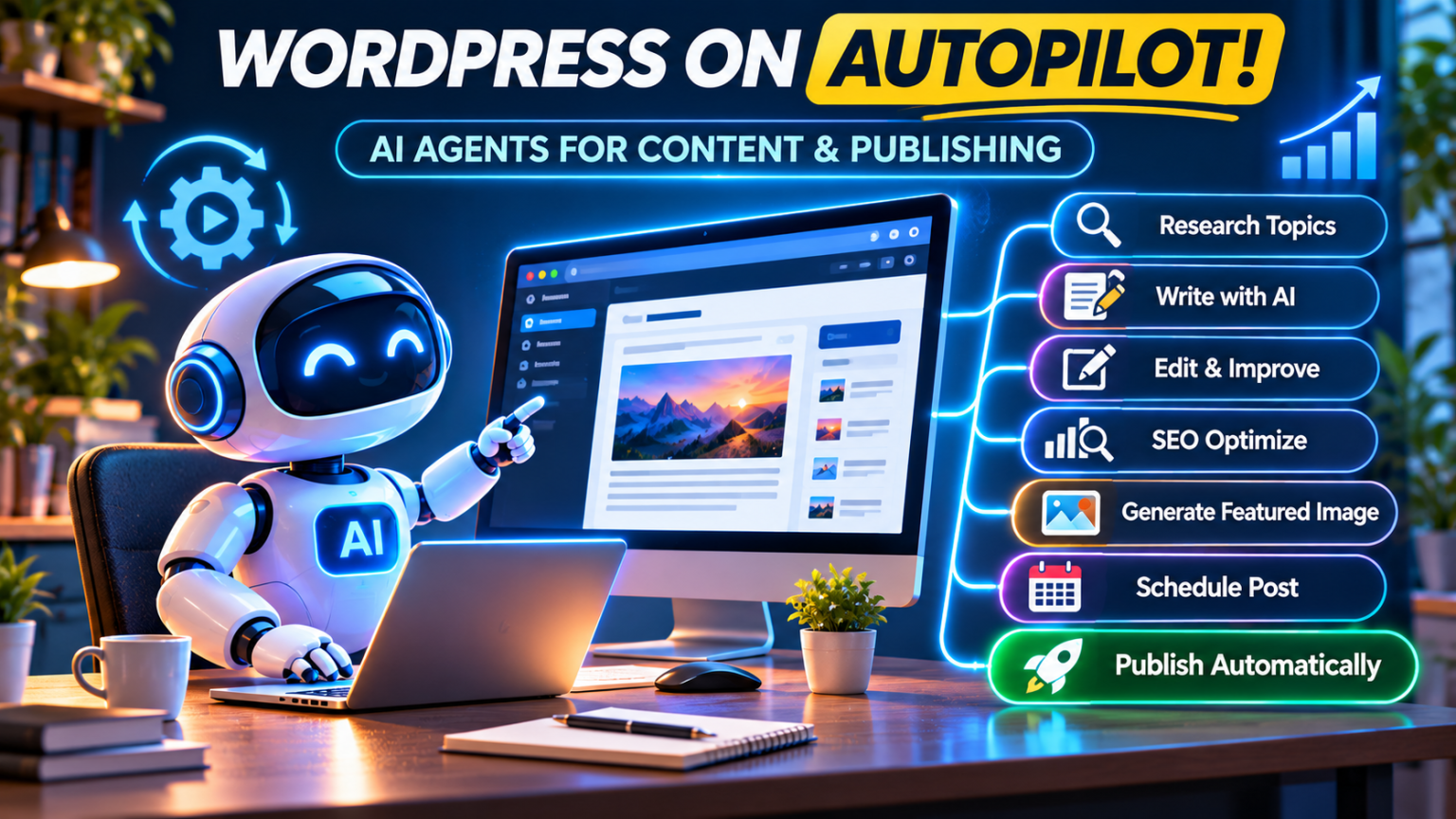
Imagine publishing a WordPress article without spending your evening moving between research tabs, writing tools, image editors, SEO plugins and the scheduling screen. You describe the topic, and a set of AI agents helps research it, prepare a draft, create images, improve the SEO details, organise the post and place it in your editorial calendar.
That is the promise behind WordPress on autopilot. It is not magic, and it should not mean handing your website password to an uncontrolled bot. It means connecting AI agents to a carefully designed publishing workflow so repetitive work can happen automatically while you remain in charge of accuracy, quality and publication.
In this guide, we will build the idea from the ground up: what an AI-powered WordPress workflow looks like, which agents you need, how they connect through APIs and automation tools, what can safely run without approval, and how to get started with a practical setup.
What does WordPress on autopilot actually mean?
Traditional blogging involves a long list of separate jobs. Someone finds a topic, researches it, writes the article, edits it, prepares a featured image, adds links and metadata, chooses categories, schedules publication and later checks performance.
An AI-agent workflow connects those jobs. Each agent has a clear responsibility and uses approved tools to complete a stage. The output of one stage becomes the input for the next. A workflow might look like this:
- Topic agent: Finds ideas based on your audience, existing posts and editorial plan.
- Research agent: Collects trustworthy sources, dates, facts and useful examples.
- Writer agent: Creates a structured first draft in your site’s tone.
- Editor agent: Checks clarity, repetition, grammar, structure and unsupported claims.
- SEO agent: Suggests the title, slug, excerpt, meta description, internal links and tags.
- Image agent: Creates a featured image and any supporting visuals, with descriptive alt text.
- WordPress agent: Creates the post, uploads media, sets categories and schedules it.
- Performance agent: Reviews Search Console or analytics data and recommends future improvements.
These do not have to be eight separate AI products. They can be separate roles in one orchestrated workflow, or a combination of AI models, scripts and automation nodes. The important part is that each step has a defined input, output and permission level.
The complete AI-powered WordPress publishing workflow
Here is how a typical article can move from an idea to a scheduled post. Think of it as an editorial production line, not a machine that publishes anything it happens to generate.
1. Find topics your readers actually need
The workflow begins with an editorial calendar, not random AI-generated ideas. A topic agent can review your site’s categories, existing articles, search queries, seasonal events and questions from readers. It can identify subjects you have not covered or older posts that deserve an update.
For example, a technology blog might ask the agent to suggest five useful topics about WordPress security, hosting automation or AI tools. The agent should return the proposed headline, target reader, search intent, why the topic matters and any overlap with existing articles.
Human checkpoint: Approve the topic and angle before research begins. This prevents the site from filling up with repetitive articles written only because a keyword looks popular.
2. Research facts before writing
A research agent should gather information from primary sources wherever possible: official product documentation, release notes, standards, vendor announcements, public datasets and original research. It should record the source URL, publication date and the specific claim each source supports.
Do not let the writer invent facts to fill gaps. If a price, feature or release date cannot be verified, the research stage should mark it as uncertain or leave it out. For fast-changing topics, include a clear research cutoff date and re-check important details before scheduling.
A good research handoff contains a short brief, verified facts, source links, disagreements between sources, and questions that still need human review. This is much more useful than asking an AI to “research everything” and hoping the result is accurate.
3. Write a useful first draft
The writer agent turns the approved research brief into an article. Give it a style guide that explains your audience, preferred spelling, tone, heading structure, paragraph length, formatting and how you handle citations.
Ask for explanations, practical examples, limitations and clear takeaways—not just a long list of keywords. The draft should answer the reader’s question early, then provide enough detail for someone to act on the information.
AI can help make writing more natural, but a so-called humanizer is not a substitute for original reporting or expertise. Add real experience, screenshots, tests, examples and editorial judgement. Never claim that a product was tested if nobody actually tested it.
4. Run an editorial and fact-checking pass
The editor agent should be different in purpose from the writer. Its job is to challenge the draft: find unsupported statements, stale details, repeated ideas, confusing explanations, broken logic and missing context.
It can also check that quotations are attributed, links point to relevant sources, headings follow a logical order, and the article does not promise more than the evidence supports. A second model can provide a useful independent review, but humans still need to resolve important disagreements.
5. Prepare SEO without keyword stuffing
An SEO agent can prepare the search-facing details while keeping the reader first. Typical tasks include:
- Suggest a clear title and readable URL slug.
- Write a concise excerpt and meta description that accurately describe the article.
- Choose one relevant primary topic and a small set of useful related terms.
- Suggest internal links to existing articles that genuinely help the reader.
- Check heading hierarchy, descriptive link text and image alt text.
- Flag missing references, duplicate topics and thin sections.
- Suggest categories and tags that match the site’s existing taxonomy.
SEO plugins can help store and display metadata, but no plugin or agent can guarantee rankings. Avoid automatically adding dozens of tags, repeating keywords unnaturally or creating near-duplicate pages at scale.
6. Generate the featured image and supporting visuals
An image agent can create a consistent visual for each article using your brand colours, preferred aspect ratio and a short creative brief. It can also prepare diagrams, comparison illustrations and screenshots where appropriate.
Before uploading, check that the image matches the subject, contains no misleading product interface or invented logo, and is legible at thumbnail size. Give it descriptive alt text that explains the image for people using assistive technology. Do not stuff alt text with keywords.
For technical tutorials, original screenshots and diagrams are often more useful than decorative AI artwork. Keep generated visuals clearly illustrative when they depict a concept rather than a real product screen.
7. Create the post in WordPress through a controlled connection
Once the article passes its checks, the WordPress agent can use the WordPress REST API or an approved integration to create a post. It can set the title, content, excerpt, author, categories, tags, featured media and scheduled publication date.
WordPress has a built-in scheduled status called future. A post saved with a future date can be published by WordPress when that time arrives, provided the site’s scheduled-task mechanism is working correctly. Check the site’s timezone and scheduled-post health rather than assuming every timestamp is UTC.
The agent should create a draft or scheduled post—not publish immediately—unless the editorial policy explicitly allows automatic publication for that content type. It should then read the post back and verify the author, status, date, featured image and permalink.
How the pieces connect: WordPress, AI agents, APIs and automation
You do not need a complicated custom platform to begin. A typical setup has four layers:
| Layer | What it does | Examples |
|---|---|---|
| AI model | Understands instructions, researches and drafts | OpenAI models, Claude and other supported models |
| Agent orchestration | Runs steps, passes results, handles retries and approvals | Agents SDK, LangGraph, n8n |
| WordPress connection | Reads and updates posts, media, categories and metadata | WordPress REST API, MCP integrations, approved plugins |
| Monitoring | Records actions, errors, usage and publishing outcomes | Workflow logs, WordPress activity logs, alerts and analytics |
The WordPress REST API provides endpoints for posts, pages, media and taxonomies. An authenticated integration can create and update content according to the permissions of the WordPress account it uses. Use a dedicated account with the minimum role and capabilities required, and keep credentials out of prompts, source code and public repositories.
Model Context Protocol (MCP) is another way to connect AI clients to tools and data. WordPress’s developer ecosystem has been working on the Abilities API and MCP Adapter so registered WordPress capabilities can be discovered and used by AI clients. This can provide a more structured interface than giving an agent broad access to the entire admin area.
A practical stack for automating a WordPress blog
Here are several routes you can consider. You do not need to install all of them; choose the simplest stack that meets your workflow.
Option 1: n8n for visual automation
n8n connects APIs and services through a visual workflow. You can trigger a process from a form or schedule, call an AI model, validate the output, upload media and create a WordPress draft. It is a good fit if you want to see each step and control the handoffs.
Use separate workflow nodes for research, writing, review and WordPress updates. Add error branches and approval steps rather than putting the entire publishing process inside one large prompt.
Option 2: OpenAI Agents SDK for custom development
The OpenAI Agents SDK provides a developer-oriented way to define agents, tools, handoffs and guardrails. It is useful when you want more control over how agents collaborate and how the workflow behaves.
A developer can create narrowly scoped tools such as search_existing_posts, create_draft_post, upload_featured_image and schedule_approved_post. Each tool should validate inputs and enforce permissions on the server side.
Option 3: WordPress MCP and Abilities
The WordPress MCP Adapter and Abilities API offer a structured way to expose WordPress functionality to compatible AI clients. Instead of asking an agent to click around the dashboard, you can expose specific actions with typed inputs and permission checks.
This is particularly interesting for developers building custom WordPress tools or agencies managing several sites. Start with read-only abilities, then add limited write actions after testing. Never expose a destructive ability without a strong permission check and a deliberate approval flow.
Option 4: AI plugins inside WordPress
Some WordPress plugins bring AI features directly into the editor, helping with titles, excerpts, image generation, alt text and content improvements. This can be a convenient starting point for teams that do not want to build a separate automation service.
Review the plugin’s data handling, model provider, permissions, logging and subscription costs. A plugin that generates text is not necessarily a full agent platform; you may still need an orchestrator for research, approval and scheduling.
A sample automated workflow from topic to scheduled post
Suppose you want to publish a tutorial about WordPress security every Wednesday. A safe workflow could run like this:
- Monday morning: Topic agent proposes ideas and checks the existing content library for duplicates.
- Monday afternoon: Research agent gathers primary sources and prepares a brief.
- Tuesday morning: Writer agent prepares the first draft and editor agent checks it.
- Tuesday afternoon: SEO agent prepares metadata and image agent creates the featured image.
- Tuesday evening: WordPress agent creates a scheduled post and sends the editor a review link.
- Wednesday: WordPress publishes the approved post at the configured time.
- Following week: Analytics agent reports impressions, clicks and engagement, then suggests improvements.
The workflow can run on a schedule, but the editorial approval remains a real checkpoint. If research is incomplete, the image fails, or the WordPress API returns an error, the workflow should stop and notify a person instead of publishing a broken post.
What should be fully automated—and what should stay human?
Autopilot does not mean removing people from every decision. The best workflows automate repetitive, low-risk steps and reserve human attention for judgement, accountability and anything that could harm the business or reader.
| Task | Suggested approach |
|---|---|
| Topic suggestions | Automate, then choose the topic |
| Source collection | Automate, verify important claims |
| First draft | Automate, then edit |
| Grammar and structure checks | Automate with review |
| SEO title and excerpt suggestions | Automate, approve final wording |
| Image generation and alt-text draft | Automate, inspect the image and text |
| Draft creation in WordPress | Automate with restricted permissions |
| Scheduling | Automate after editorial approval |
| Publishing sensitive or factual content | Require human approval |
| Deleting posts, changing users or site settings | Keep behind explicit human approval |
Security: do not give an AI agent your WordPress master password
An agent that can write to your website is part of your site’s security boundary. If its credentials are stolen or its instructions are manipulated, it could create unwanted content or make changes you never intended.
- Create a dedicated integration user: Do not use the main administrator account for routine publishing.
- Apply least privilege: Give the integration only the capabilities needed for its job. A content agent should not automatically receive plugin installation or user-management permissions.
- Use revocable credentials: Use an appropriate authentication method such as a scoped application password or a supported OAuth/MCP connection. Store secrets in a secret manager or protected environment variables.
- Separate draft and publish permissions: Let the agent create drafts by default. Require a separate approval or publishing capability for going live.
- Validate every input: Sanitize content, validate URLs and media types, and reject unexpected fields before writing to WordPress.
- Protect against prompt injection: Treat text from websites, comments, feeds and documents as untrusted data. It must not override the agent’s system rules.
- Log actions: Record who or what created a post, changed metadata, uploaded media or scheduled publication.
- Set usage limits: Limit retries, runtime and model spending. Alert on unusual activity.
- Keep backups: Maintain tested backups and a recovery plan before enabling automated writes.
WordPress’s developer guidance on the MCP Adapter recommends careful permission callbacks, dedicated users, limited abilities and monitoring. These are good principles for any agent integration, not just MCP.
Common mistakes when automating a WordPress blog
- Publishing too much: Increasing article volume does not automatically increase traffic. Prioritise usefulness, originality and accuracy.
- Skipping source verification: AI can produce confident but incorrect statements. Require source links and check claims that matter.
- Using generic images: A random AI image may look attractive but add little value. Match visuals to the article and use real screenshots when they explain the task better.
- Creating duplicate content: Check existing posts and combine overlapping topics rather than publishing near-identical articles.
- Ignoring internal links: Recommend relevant pages, but do not insert links simply to increase their number.
- Giving every agent administrator access: Separate research, drafting and publishing permissions.
- Failing to verify the scheduled post: Read the post back from WordPress and confirm its date, timezone, author, status and featured image.
- Not monitoring failures: A workflow should alert you when an API call, image upload or scheduled task fails.
A 7-day plan to get your WordPress AI autopilot started
| Day | Work to complete | Result |
|---|---|---|
| 1 | Map your current editorial process and choose one repetitive task | A simple workflow diagram |
| 2 | Write your content style guide and research rules | A reusable editorial brief |
| 3 | Connect an AI model to a test workflow | A topic and research assistant |
| 4 | Add drafting and editorial checks | A reviewed sample article |
| 5 | Connect WordPress with a limited integration account | A test draft created through the API |
| 6 | Add image upload, SEO metadata and scheduling checks | A complete scheduled test post |
| 7 | Review logs, permissions, quality and failure handling | A controlled workflow ready for a small pilot |
Run the first few articles in draft mode. Compare the agent’s output with your normal editorial process, track how much time it saves and note where human corrections are still needed. Expand automation only when the workflow is reliable.
How to measure whether your WordPress autopilot is successful
Do not measure success only by the number of posts created. Track the quality and reliability of the process:
- Time from approved topic to publish-ready draft.
- Percentage of drafts accepted with minor edits.
- Number of factual or citation corrections required.
- Successful media uploads and correct featured-image assignment.
- Scheduling accuracy and failed publication events.
- Editorial time saved per article.
- Search impressions, qualified clicks and reader engagement over time.
- Agent errors, retries, API usage and total cost per article.
Keep a human quality score alongside the automation metrics. A workflow that produces ten weak articles faster is not better than one that helps your team publish two genuinely useful articles with less effort.
Final thoughts: build a publishing system, not a content factory
WordPress on autopilot is becoming realistic because AI models can now work with tools, APIs and structured workflows. A well-designed system can research topics, prepare drafts, check content, generate images, manage SEO details and schedule posts without forcing an editor to repeat every manual step.
But the goal should not be to publish as much as possible with no human involvement. The goal is to spend less time on repetitive administration and more time on original ideas, useful explanations, testing and reader relationships.
Start with one workflow. Keep the agent’s permissions narrow. Make drafts the default. Verify every important result. Once the process is dependable, let automation handle more of the routine work.
The future of blogging is not simply AI writing everything. It is people building smarter publishing systems—with AI doing the repetitive work and humans staying responsible for what goes live.
Frequently asked questions
Can AI agents manage a WordPress website automatically?
Yes, when connected through approved plugins, APIs or MCP tools with suitable permissions. Agents can help create drafts, update content, upload media and schedule posts. The exact actions depend on the integration and the WordPress account’s capabilities.
Can AI write and publish blog posts without human involvement?
Technically, a workflow can be configured to publish automatically. For most sites, however, it is safer to require a human review for factual accuracy, originality, image suitability and sensitive topics before publication.
What is the best tool for WordPress AI automation?
There is no universal best tool. n8n is useful for visual workflows, the OpenAI Agents SDK suits custom agent development, and WordPress MCP/Abilities can expose structured site capabilities to compatible AI clients. Choose based on your technical skills and security requirements.
Can an AI agent upload a featured image to WordPress?
Yes. If the integration has the required media permissions, it can upload an image through the WordPress media endpoint and assign the resulting media ID as the post’s featured image. The workflow should verify that the upload succeeded and that the correct image is attached to the intended post.
Is WordPress MCP the same as the WordPress REST API?
No. The REST API exposes WordPress resources through HTTP endpoints. MCP is a protocol that lets compatible AI clients discover and use tools. A WordPress MCP adapter can expose selected WordPress capabilities to an agent, potentially using the REST API or other internal functionality behind the scenes.
Will AI-generated articles rank in Google?
There is no ranking guarantee based on whether content was written by AI or a person. Focus on original, helpful, accurate content that satisfies readers. Avoid mass-producing thin or repetitive pages just to target search terms.
How much does it cost to automate WordPress with AI?
Costs depend on model usage, automation hosting, image generation, premium plugins and development time. Start with a small pilot and measure the cost per approved article before expanding the workflow.
Official resources and further reading
- WordPress REST API – Posts reference
- WordPress REST API – Media reference
- WordPress Developer Blog – MCP Adapter and AI agents
- Learn WordPress – Building AI into your publishing workflow
- OpenAI Agents SDK documentation
- n8n documentation
- Model Context Protocol – Introduction
- WordPress documentation – Post statuses and scheduling