Someone Just Rebuilt Adobe for Free: The Deserved Death of Adobe?
AI, Open Source & Creative Software
For years, Adobe Creative Cloud has been the default toolkit for designers, photographers, video editors, illustrators, and digital artists. Photoshop, Illustrator, Premiere Pro, After Effects, and the rest of the suite have powered an enormous amount of creative work.
But what happens when someone tries to rebuild that experience using AI-assisted development—and releases the resulting applications for free?
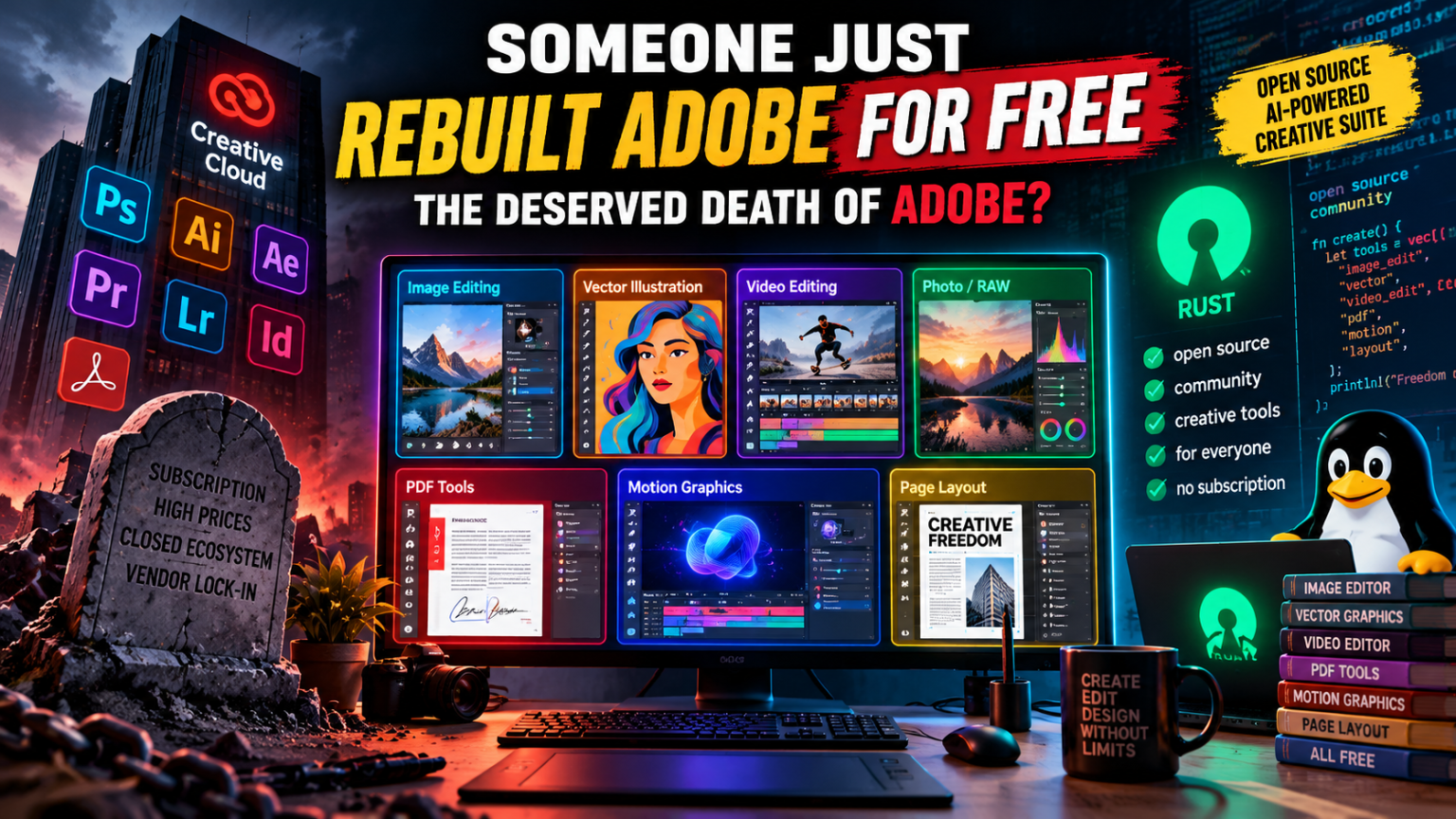
That is the idea behind ArtCraft’s Crafting Apps, a collection of open-source creative tools built from scratch in Rust. The projects aim to recreate familiar Adobe-style workflows, covering image editing, vector illustration, video editing, photography, PDFs, motion graphics, and page layout.
The announcement has sparked a bigger question: if AI makes it dramatically easier to build software, does Adobe’s dominance still make sense?
The answer is more interesting than simply declaring Adobe dead. The new projects are promising, but most remain early in development. They challenge Adobe’s business model and demonstrate what AI-assisted software development can achieve—not that professional creative software has already been replaced.
1. What Happened? Someone Is Rebuilding Adobe
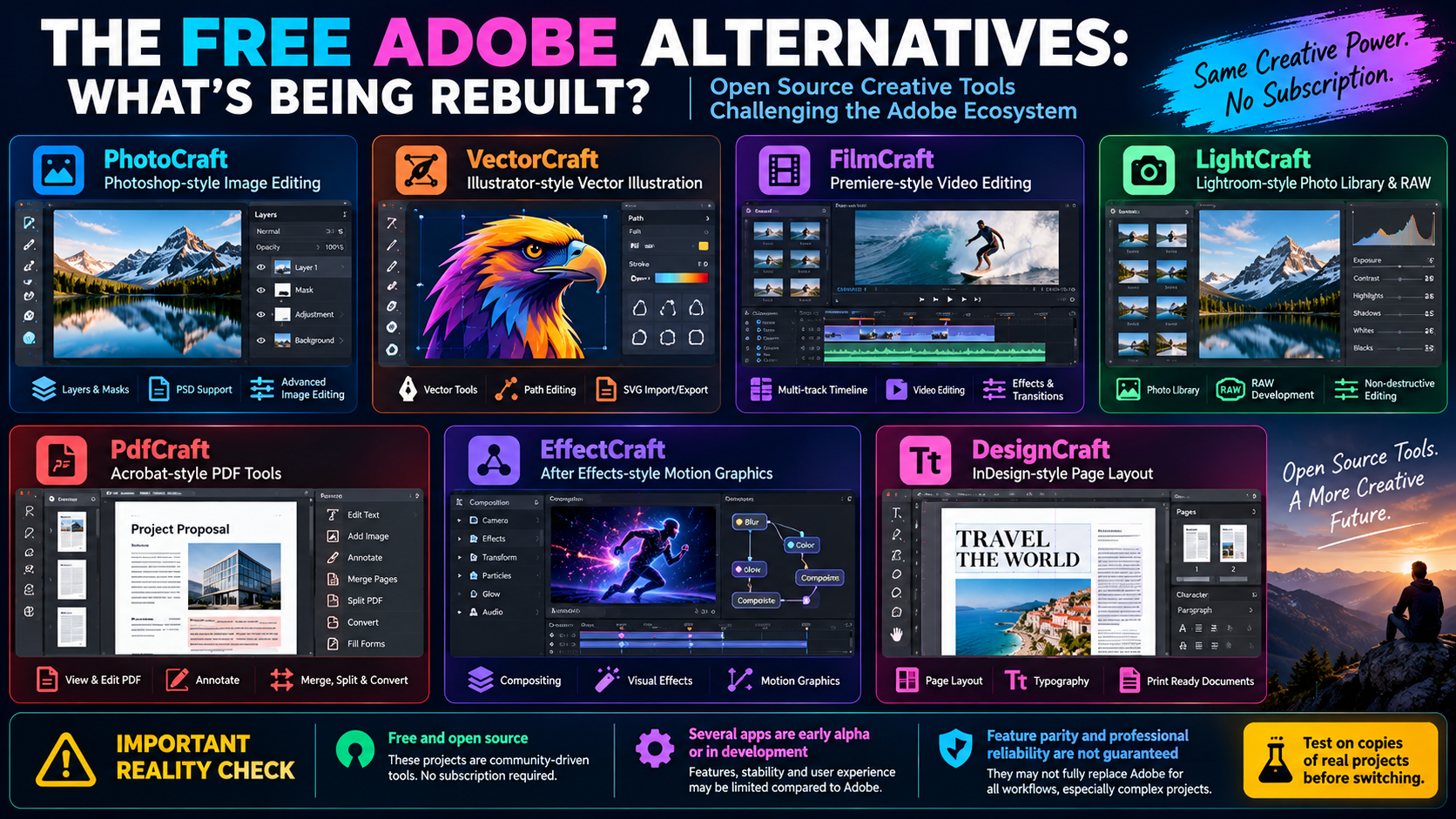
The ArtCraft team has introduced seven applications designed around familiar creative workflows. The goal is to provide free, open-source tools that can run on common desktop platforms, with some applications also offering browser-based versions.
The projects are written in Rust and describe themselves as clean-room implementations: software developed independently rather than by copying Adobe’s proprietary source code.
The lineup includes:
- PhotoCraft — image editing inspired by Photoshop.
- VectorCraft — vector illustration inspired by Illustrator.
- FilmCraft — video editing inspired by Premiere Pro.
- LightCraft — photo organization and RAW development inspired by Lightroom.
- PdfCraft — PDF reading, organization, and security tools inspired by Acrobat.
- EffectCraft — motion graphics and visual effects inspired by After Effects.
- DesignCraft — page layout and publishing inspired by InDesign.
You can explore the projects on the official ArtCraft apps page and inspect their code through the ArtCraft GitHub organization.
The surprising part is not simply that free alternatives exist. Open-source creative tools have been around for years. The difference is the attempt to recreate familiar workflows and interfaces across an entire family of applications, while using AI-assisted development to accelerate implementation.
That could make switching easier for people who already know Adobe’s tools.
However, the projects have different maturity levels. PhotoCraft is described as early alpha, while several other applications remain in development. They should be treated as experiments worth testing—not as a guaranteed replacement for a professional production environment.
2. What Features of Adobe Are Being Rebuilt?
Adobe is not one application. It is an ecosystem of tools covering several different creative disciplines.
Here is how the new applications map to the familiar Creative Cloud lineup.
PhotoCraft: The Photoshop Alternative
Photoshop is widely used for photo retouching, compositing, image manipulation, layered artwork, typography, and digital graphics.
PhotoCraft aims to provide many familiar capabilities, including:
- Layers and masks.
- Adjustment layers and layer styles.
- Text and vector elements.
- Brushes and image-editing tools.
- PSD file support.
Its biggest appeal is familiarity. Someone who regularly works with layers and masks may find a familiar interface easier to approach than learning an entirely different editing application.
But there is a significant limitation: PhotoCraft’s own documentation says it is still early alpha and is not yet a replacement for daily professional Photoshop work. Its roadmap identifies gaps in generative AI, advanced typography, professional workflows, and plug-in compatibility.
Photoshop’s advanced selection tools, Generative Fill, sophisticated retouching workflows, and extensive plug-in ecosystem remain important advantages.
See the PhotoCraft project and its current status.
VectorCraft: The Illustrator Alternative
Illustrator is designed for vector graphics—artwork that can scale without losing sharpness. Designers use it for logos, icons, illustrations, packaging, diagrams, and print-ready artwork.
VectorCraft targets workflows involving:
- Pen tools and Bézier paths.
- Shape editing and path operations.
- Gradients and transparency.
- Typography and text styling.
- Vector illustration and supported export formats.
Its official project documentation reports that many everyday vector features are implemented, while also acknowledging gaps in areas such as 3D and materials and some advanced composition tools.
This could make VectorCraft useful for experimenting with logos, icons, and illustrations. However, designers should validate complex documents, font rendering, color management, and print output before relying on it for client delivery.
FilmCraft: The Premiere Pro Alternative
Premiere Pro is a professional video editor used for YouTube videos, advertisements, interviews, documentaries, and commercial productions.
FilmCraft aims to bring together familiar video-editing functions such as:
- Timeline-based editing.
- Video and audio tracks.
- Clip trimming and sequencing.
- Transitions and effects.
- Color and sound workflows.
The challenge is that professional video editing involves far more than arranging clips on a timeline. Reliable playback, codec support, proxy workflows, audio synchronization, effects, rendering, and project interchange all matter.
FilmCraft is still in development, so editors should test it with real footage and representative projects before using it for deadline-critical work.
LightCraft: The Lightroom Alternative
Lightroom combines photo organization with RAW image development. Photographers use it to import, sort, rate, correct, and export large collections of images.
LightCraft aims to provide a local photo library and RAW development workflow.
Potentially useful capabilities include:
- Photo organization and browsing.
- RAW processing.
- Image adjustments.
- Managing a photography workflow on your own machine.
The hard part is reproducing Lightroom’s mature catalog management, camera and lens profiles, non-destructive editing behavior, synchronization, and consistency across large libraries.
For photographers with important existing catalogs, migration should be tested carefully before switching.
PdfCraft: The Acrobat Alternative
Adobe Acrobat is used to read, organize, combine, split, annotate, and secure PDF documents, while Acrobat Pro also provides more advanced editing, conversion, signing, and document-processing capabilities.
PdfCraft focuses on a PDF workbench with tasks such as:
- Reading PDFs.
- Combining and splitting documents.
- Organizing pages.
- Securing supported documents.
It may be useful for everyday PDF handling. However, businesses that depend on advanced form workflows, document accessibility, redaction verification, enterprise signatures, or complex PDF editing should check each requirement individually.
EffectCraft: The After Effects Alternative
After Effects is used for motion graphics, compositing, animated titles, visual effects, and sophisticated animation workflows.
EffectCraft aims to provide an open-source environment for motion graphics and visual effects.
The difficult part is achieving the depth of a mature compositing system: node or layer workflows, tracking, expressions, effects, rendering, plug-ins, and project compatibility.
For now, treat it as a project to watch rather than a proven substitute for established visual-effects pipelines.
DesignCraft: The InDesign Alternative
InDesign is Adobe’s page-layout application for magazines, brochures, books, reports, and other publishing projects.
DesignCraft targets page layout and publishing. That makes it potentially interesting for creators who produce multi-page documents and want an alternative to subscription-based publishing software.
Professional publishing requires precise typography, text flow, master pages, color management, linked assets, preflight checks, and dependable print-ready PDF output. These details matter just as much as the interface.
Designers should verify these capabilities with actual publication files before adopting it for production.
3. Why This Is a Serious Challenge to Adobe
Adobe’s strength has never been just one feature in Photoshop or Premiere Pro. It is the combination of powerful tools, established workflows, file compatibility, professional familiarity, and integration across applications.
Yet that strength also creates an opportunity for challengers.
Subscription fatigue
Adobe’s subscription model gives users access to current software and connected services, but it also creates a recurring cost.
Adobe India’s official Creative Cloud plans page lists Creative Cloud Pro at ₹2,714 per month, including GST, on the annual plan billed monthly at the time of checking. Individual applications have separate pricing and plan conditions.
That can be a substantial expense for students, independent creators, hobbyists, and small businesses. Prices and offers change, so check the current plan before making a purchase decision.
Free tools change the economics. If an application meets your requirements, you may be able to avoid a recurring license fee altogether.
Familiar interfaces lower the switching cost
Many creators do not want to relearn every shortcut, panel, and editing concept.
A tool that follows a familiar workflow may reduce the learning curve, especially when the user already understands layers, masks, timelines, paths, or page layouts.
However, copying a familiar arrangement is only the beginning. The commands must behave correctly, the files must survive round trips, and the application must remain stable during real work.
AI-assisted development changes the economics of software
Modern coding models can help developers generate code, create interface components, implement features, and iterate faster.
A small team can now attempt projects that once required a much larger engineering effort. That does not eliminate the need for software architecture, testing, debugging, accessibility, security, and long-term maintenance.
AI can speed up development, but it cannot automatically guarantee that the result is correct.
The important shift is that building a convincing alternative has become more accessible. Established software companies can no longer assume that a complex interface alone will protect them from competition.
4. Why Adobe Is Not Dead Yet
The headline is provocative, but there are good reasons not to declare Adobe finished.
Professional reliability matters
A creative application must do more than open and display a file. It must handle complex documents, unusual inputs, long sessions, large projects, and demanding deadlines without corrupting work or unexpectedly failing.
A bug in a hobby project is inconvenient. A failed export or corrupted client project can be expensive.
Mature software has an advantage because it has accumulated years of testing, bug reports, and real-world use.
Compatibility is part of the product
Design studios exchange layered files, vector documents, video projects, fonts, assets, and production-ready PDFs.
A new editor may support a format without reproducing every feature of the original file. Layers, effects, blending behavior, fonts, color profiles, and timeline details can change when a document moves between applications.
For a professional team, compatibility is not an optional extra. It is part of the workflow.
Creative Cloud is more than desktop apps
Adobe offers a broader ecosystem that includes cloud storage, libraries, fonts, collaboration features, stock assets, and generative AI services.
Its Creative Cloud overview describes the apps and services included in its subscription plans.
A free desktop editor may reproduce part of the workflow without replacing those connected services.
AI features are a moving target
Adobe has integrated Firefly-powered generative features into its creative applications. Photoshop, for example, offers Generative Fill and Generative Expand, while Illustrator has generative vector and recoloring features.
See Adobe’s overview of generative AI in Creative Cloud.
Alternative applications will need to build comparable tools—or offer a different approach—to compete across the full creative process.
The competitive pressure is real, but the outcome will depend on whether the alternatives mature and whether creators find them dependable enough to adopt.
5. The Existing Free Alternatives Are Already Worth Considering
You do not need to wait for ArtCraft to mature to reduce your dependence on Adobe.
Several established applications already handle substantial parts of common creative workflows.
| Adobe application | Free alternative to consider | Best suited for |
|---|---|---|
| Photoshop | GIMP | Image editing and compositing |
| Photoshop for digital painting | Krita | Illustration, painting, and concept art |
| Illustrator | Inkscape | Vector graphics and SVG |
| Premiere Pro | Kdenlive | Multi-track video editing |
| Premiere Pro | Shotcut | General video editing |
| Lightroom | darktable | RAW development and photo workflows |
| After Effects | Blender | 3D, animation, and compositing workflows |
| InDesign | Scribus | Desktop publishing |
| Audition | Audacity | Audio editing and recording |
| Acrobat | Stirling PDF | PDF tools, with deployment-dependent capabilities |
These applications are not identical replacements, and not every tool is suitable for every professional workflow. DaVinci Resolve is also worth considering for video editing and color grading, although it is not open source and some capabilities are restricted to its paid Studio edition.
The advantage of established alternatives is that they have real users, documented limitations, and ongoing development histories. Compare them against your actual requirements rather than choosing purely by price.
6. Should You Download the New ArtCraft Apps?
Yes, if you are curious and willing to experiment—but use the same caution you would apply to any new software project.
Before installing an early-stage application:
- Use the official project links. Start at getartcraft.com/apps or the relevant official GitHub repository.
- Check the project’s status. Look at recent releases, known issues, and the roadmap.
- Back up your work. Test on copies of documents, not your only copy of a critical client file.
- Verify file compatibility. Open, edit, save, and reopen representative files; inspect layers, fonts, effects, colors, and exports.
- Protect sensitive data. Review permissions, dependencies, network behavior, and the code or binaries you install. Open source does not automatically mean every release is secure.
- Keep your production workflow available. Do not uninstall essential software until the alternative has passed your own tests.
The same advice applies to AI-generated code. A large amount of code produced quickly can still contain bugs, security weaknesses, and unexpected behavior.
For a hobby project, that may be acceptable. For a client deadline or business-critical workflow, reliability should come first.
7. The Bigger Story: AI Is Changing Who Can Build Software
The most important part of this story may not be the applications themselves. It is what they reveal about software development.
Historically, recreating a mature creative suite would have required substantial engineering resources, years of development, and extensive testing. AI-assisted development can lower the cost of attempting such a project.
That creates new possibilities:
- Small teams can build specialized alternatives to established software.
- Developers can experiment with familiar workflows and new interfaces.
- Open-source communities can inspect, extend, and improve implementations.
- Users can choose tools based on features and value instead of habit alone.
But the same trend also creates challenges. Code can be generated faster than it can be thoroughly reviewed. A feature checklist can grow quickly without proving that each feature works correctly. Maintaining a complex desktop application over years remains difficult.
The winners will not necessarily be the projects that generate the most code. They will be the projects that turn rapid development into dependable software.
Conclusion: The Deserved Death of Adobe—or the End of Its Monopoly?
Someone rebuilding Adobe-style creative applications for free is a compelling demonstration of what AI-assisted development and open source can achieve.
ArtCraft’s Crafting Apps aim to cover a remarkably broad set of creative tasks, from image editing and vector design to video, motion graphics, PDFs, and publishing. Their familiar workflows could make free alternatives more approachable.
But these projects are not yet equivalent to the complete Adobe Creative Cloud ecosystem. Several are in early alpha or active development, and important gaps remain in professional workflows, compatibility, AI features, and reliability.
Adobe is not dead. Its pricing, ecosystem, and business model are simply facing another wave of competition.
The real change is that creators have more options—and the cost of challenging established software companies may be falling.
Perhaps the deserved death is not Adobe itself, but the idea that creative professionals must pay for one company’s ecosystem to do their work.
For users, that is good news. Competition gives creators more control, encourages better products, and makes it easier to choose software that fits their needs and budget.
Disclaimer: ArtCraft and its Crafting Apps are independent projects and are not affiliated with, sponsored by, or endorsed by Adobe. Product names are used to describe intended workflows and comparisons. Features and development status may change; consult each project’s official documentation before relying on it for professional work.