Creator of Free Adobe Clones Is Rebuilding Microsoft Office: Excel, PowerPoint and Word Could Be Next
AI, Open Source & Productivity Software
For decades, Microsoft Office and Adobe Creative Cloud have been essential tools for businesses, students, designers, and professionals. From Excel spreadsheets and PowerPoint presentations to Photoshop designs and Word documents, millions of people rely on software that often comes with recurring subscription fees.
Now, an ambitious software project is taking aim at that model.
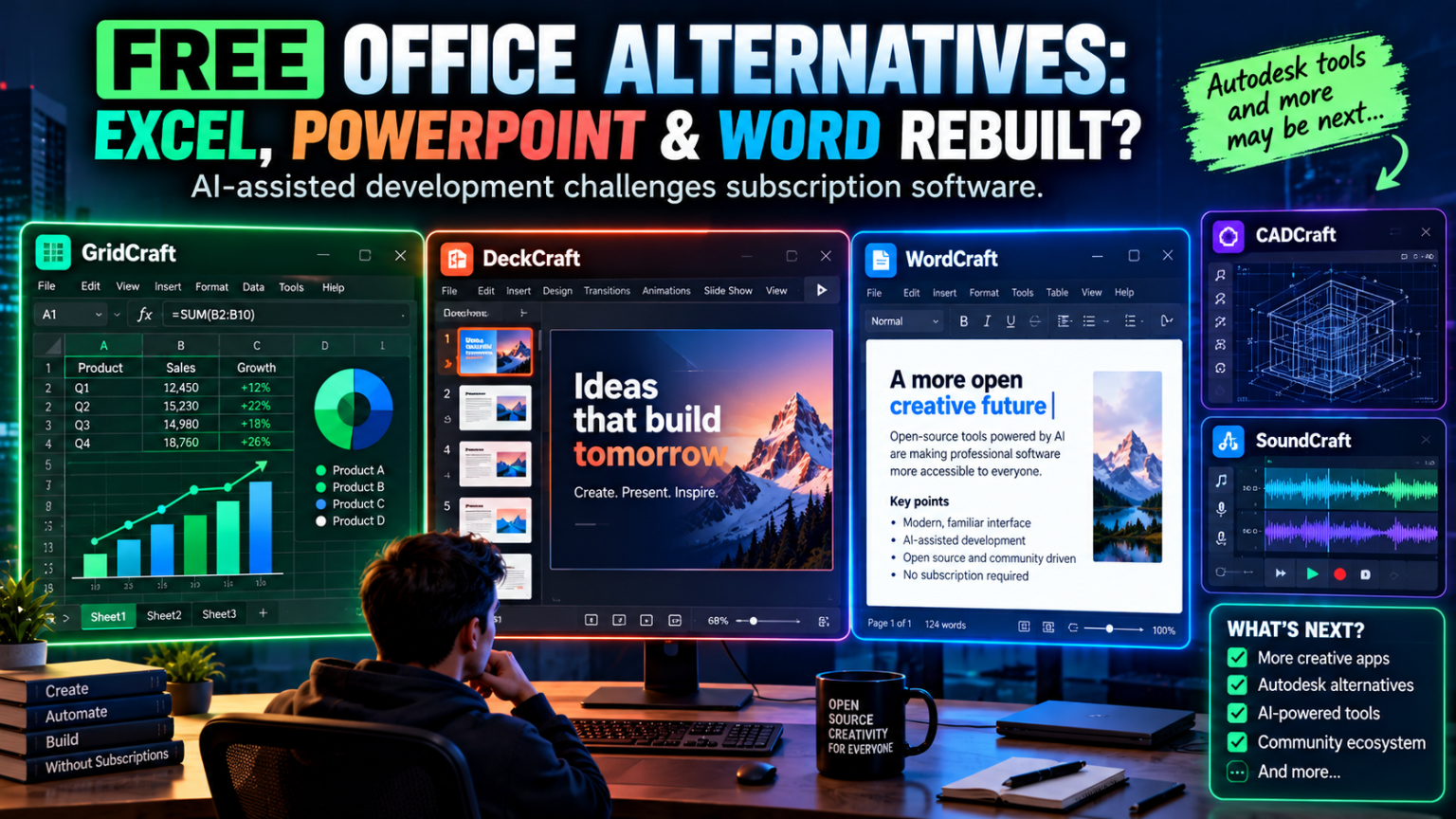
The ArtCraft team, known for building free alternatives to Adobe’s creative applications, is expanding into office productivity with GridCraft, DeckCraft, and WordCraft—projects inspired by Microsoft Excel, PowerPoint, and Word. The same developer ecosystem also includes CADCraft, an AutoCAD-style drafting application, and SoundCraft, an audio-production project.
The idea is bold: use modern AI-assisted development to build familiar software workflows from scratch, publish the code, and give users more control over the tools they depend on.
But are these applications ready to replace Microsoft 365? And could Autodesk, professional audio software, and other subscription-based services be next?
Let’s examine what is being built, what features are available, and what users should know before switching.
1. What Is Happening?
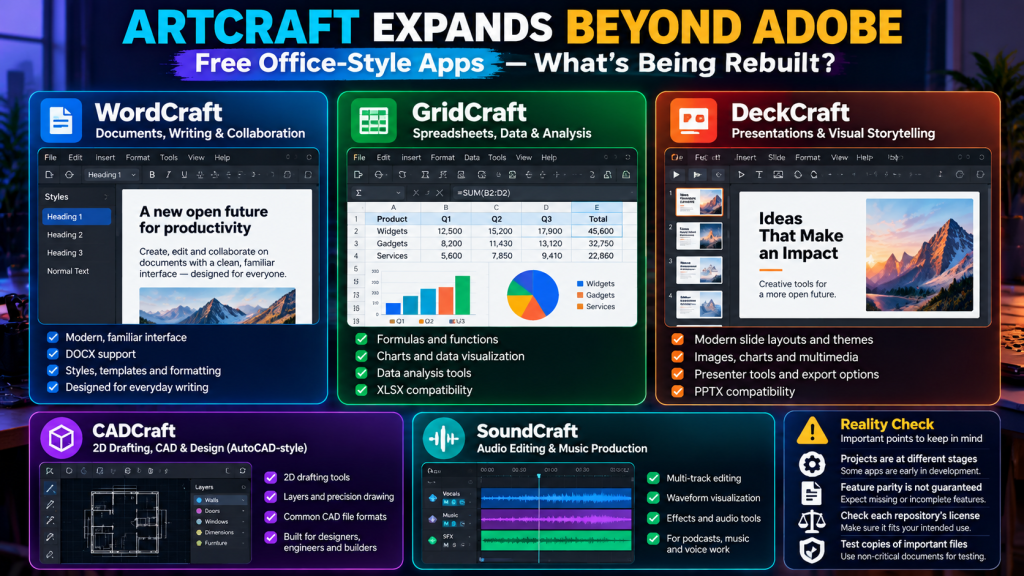
ArtCraft is building a family of applications designed to reproduce familiar workflows found in established creative and productivity software.
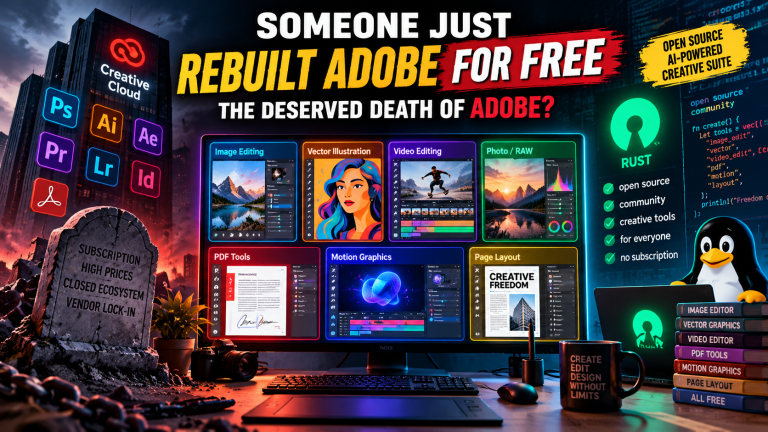
Its earlier projects focused on Adobe-style tools for image editing, vector graphics, video editing, photography, PDFs, motion graphics, and page layout. The newer projects extend that ambition into documents, spreadsheets, and presentations.
The current lineup includes:
- WordCraft — a Word-style word processor.
- GridCraft — an Excel-style spreadsheet application.
- DeckCraft — a PowerPoint-style presentation editor.
- CADCraft — an AutoCAD-style drafting and design tool.
- SoundCraft — an open-source audio-production project inspired by professional digital audio workstations.
The projects are written primarily in Rust, with desktop and, in some cases, browser-based versions. Their repositories describe clean-room implementations: independently developed software designed around familiar workflows rather than copied proprietary source code.
You can inspect the projects directly:
- WordCraft on GitHub
- GridCraft on GitHub
- DeckCraft on GitHub
- CADCraft on GitHub
- ArtCraft’s GitHub organization
One important distinction: a project being free to use does not automatically mean every repository has identical open-source permissions. Check the specific project’s license before modifying, redistributing, or using its code commercially.
2. WordCraft: A Free Alternative to Microsoft Word
Microsoft Word is used for reports, proposals, contracts, academic assignments, business letters, and long-form documents.
WordCraft aims to reproduce the familiar Word workflow while offering a native application built in Rust.
Its repository describes features including:
- A ribbon-style interface and keyboard shortcuts.
- Text formatting, styles, lists, and tables.
- Headers, footers, page numbers, and document layout.
- Comments and tracked changes.
- References, citations, and tables of contents.
- Mail-merge workflows.
- Import and export support for formats including DOCX, ODT, RTF, HTML, Markdown, and text.
- PDF export.
The project is also designed to work across desktop operating systems and the browser, with command-line and AI-agent control capabilities.
See the official WordCraft repository for its current feature list and development status.
Can WordCraft replace Microsoft Word?
For straightforward writing, formatting, and document creation, it may already be worth experimenting with.
However, Microsoft Word is more than a text editor. Professional users depend on accurate pagination, complex document layouts, extensive language and accessibility support, advanced charts and objects, reliable printing, and consistent document exchange.
WordCraft’s own roadmap identifies gaps in areas such as real-world DOCX compatibility testing, charts and SmartArt, printing, and feature fidelity.
That means users should test important documents carefully before adopting it for business-critical work.
3. GridCraft: An Excel-Style Spreadsheet Application
Spreadsheets power accounting, inventory management, financial planning, reporting, analytics, and countless internal business processes.
GridCraft is designed as an open-source, Rust-native spreadsheet targeting familiar Excel-style workflows.
The project aims to support capabilities such as:
- Spreadsheet grids and cell editing.
- Formulas and worksheet functions.
- Formatting and data presentation.
- Workbook and spreadsheet-file handling.
- Keyboard-driven workflows.
- A desktop interface with browser support in its broader architecture.
Its development roadmap reports substantial progress on ribbon and menu commands and worksheet functions, while also identifying remaining work around real-world XLSX fidelity, large spreadsheets, slicers, Solver, chart trendlines, and page layout.
You can follow progress on the GridCraft GitHub repository.
Why does this matter?
A spreadsheet alternative could be particularly useful for freelancers, students, small businesses, and developers who need common calculations and data-management features without paying for a full office suite.
But spreadsheet compatibility is difficult. Excel files can contain complex formulas, macros, pivot tables, external data connections, conditional formatting, charts, and other features that must behave consistently.
Before switching, test the files that matter to you. A workbook that opens successfully is not necessarily a workbook that calculates every formula correctly.
For financial models, tax workbooks, accounting records, or operational reports, verify calculations against the original application before relying on the results.
4. DeckCraft: A PowerPoint-Style Presentation Tool
PowerPoint remains a standard tool for business presentations, training materials, classroom slides, sales pitches, and investor decks.
DeckCraft aims to provide an alternative presentation workflow with features including:
- Slide layouts and themes.
- Shapes, pictures, and text.
- Tables and charts.
- Slide masters and placeholders.
- Notes, comments, headers, and footers.
- Transitions and animations.
- PowerPoint file support and full-screen presentation.
The DeckCraft repository describes an application that runs across desktop platforms and in the browser, with support for command-driven automation and AI-agent integration.
Is it ready for professional presentations?
It could be useful for experimentation and simpler slide decks, but professional presentations often rely on precise typography, animations, embedded media, charts, master slides, and exact rendering across devices.
A presentation that looks correct on one computer may shift on another if fonts, layouts, or embedded elements behave differently.
Before using DeckCraft for a client presentation or business meeting, export the deck and test it on the equipment and software that will actually be used.
5. Autodesk-Style Software Could Be the Next Frontier
Office software is only one part of the story. ArtCraft’s project ecosystem already includes CADCraft, a computer-aided design and drafting application inspired by Autodesk AutoCAD.
CADCraft targets familiar drafting workflows such as:
- Lines, polylines, circles, arcs, and other drawing tools.
- Object snaps and precision drafting.
- Layers and drawing properties.
- Dimensions, annotations, and hatches.
- Blocks and drawing modifications.
- DXF/DWG-oriented workflows and PDF plotting.
Its official repository describes an application under active development, with 2D drafting as an early focus and 3D modelling among the larger goals on its roadmap.
This is a particularly ambitious area to enter. CAD users depend on precise geometry, reliable dimensioning, drawing interchange, plotting, parametric features, and predictable behavior across complex projects.
AutoCAD is also only one part of Autodesk’s portfolio. Professional workflows can involve Revit, Fusion, Maya, 3ds Max, Civil 3D, and other specialized products. Recreating a familiar drawing interface does not automatically reproduce the capabilities of those tools.
CADCraft is therefore best viewed as a developing alternative to watch—not a universal replacement for Autodesk’s software.
6. SoundCraft: Challenging Professional Audio Software
ArtCraft’s ecosystem also includes SoundCraft, an audio-production project inspired by professional digital audio workstations.
Audio-production software serves musicians, podcasters, sound designers, filmmakers, and recording studios.
A serious DAW must do much more than display tracks. Users need reliable audio-device support, low-latency monitoring, multitrack recording, editing, mixing, automation, effects, plugin compatibility, and stable playback.
The ArtCraft GitHub organization is the place to follow the project’s repository and current status.
A new audio editor could be attractive to hobbyists and creators who want more control over their tools. However, musicians and studios should validate latency, hardware compatibility, plugin support, and project interchange before moving an active production workflow.
7. How Can AI Help Build So Much Software?
The interesting part of this trend is not simply that developers are writing alternatives. Free and open-source office applications have existed for years.
The new factor is AI-assisted software development.
Coding models can help developers implement interface components, generate boilerplate, write tests, refactor code, and iterate on features more quickly. With careful direction and human review, that can allow a small team to attempt projects that once required much larger engineering resources.
The ArtCraft ecosystem also emphasizes command-driven interfaces and support for AI agents in some applications. That can make software easier to automate and test.
However, AI-generated code is not automatically correct. A feature can appear in a menu without working reliably in every situation. A formula engine can support many functions while still producing errors on edge cases. A file reader can open a document while silently losing unsupported content when it is saved.
The real challenge is not producing code quickly. It is making that code accurate, secure, compatible, maintainable, and dependable.
8. Are These Apps Truly Open Source?
This deserves special attention.
The individual project repositories may use recognized open-source licenses, but ArtCraft’s broader licensing approach has included a separate, evolving license for the main ArtCraft application.
Its published ArtCraft license describes restrictions on commercial redistribution and competing products. The license itself has been marked as a work in progress, so users should not assume that all projects share the same permissions.
Before adopting any of these applications, check the license attached to the exact repository and release.
Ask these questions:
- Can I use the software commercially?
- Can I modify the source code?
- Can I redistribute a modified version?
- Are there restrictions on selling products based on the code?
- What licenses apply to bundled fonts, icons, models, and other assets?
Free access, source availability, and an OSI-approved open-source license are not interchangeable concepts.
For businesses, this distinction matters just as much as the feature list.
9. Why This Could Pressure Microsoft and Other Subscription Companies
Subscription-based software offers advantages: regular updates, support, cloud collaboration, integrated services, and professional features.
But subscriptions also create ongoing expenses, especially when a business needs multiple applications for every employee.
Free alternatives can change that calculation.
Students and individual users
Students, hobbyists, and freelancers may welcome tools that cover common tasks without requiring a recurring payment.
Small businesses
Small teams often need documents, spreadsheets, presentations, and basic design tools but may not need every premium feature in a commercial suite.
Developers and technical users
A source-available or open-source application can provide opportunities for automation, customization, and integration with existing workflows—subject to the project’s license.
The pressure on established vendors
When a credible alternative emerges, established vendors may face more pressure to improve pricing, interoperability, usability, and support for different platforms.
That does not mean every subscription will disappear. It means customers may have more choices, and software companies may need to work harder to justify recurring costs.
10. What Should You Use Today?
If you need dependable software immediately, do not choose an application solely because it is new, free, or AI-assisted.
For office work, established alternatives such as LibreOffice already provide mature word-processing, spreadsheet, and presentation applications.
For CAD, evaluate established tools such as FreeCAD when they fit your modelling requirements. For audio production, Audacity is useful for many recording and editing tasks, though it is not a complete replacement for every professional DAW.
ArtCraft’s newer projects are worth testing if you want to follow their development or contribute to the ecosystem.
A sensible approach is to:
- Download software only from official project pages.
- Test it with copies of your real files.
- Compare calculations, formatting, exports, and rendering with your existing application.
- Check the license and update policy.
- Keep a reliable fallback for critical work.
- Switch only after the alternative meets your actual requirements.
Conclusion: The Subscription Era Faces Another Challenge
The expansion of ArtCraft from Adobe-style creative software into WordCraft, GridCraft, DeckCraft, CADCraft, and SoundCraft reflects a bigger shift in software development.
AI-assisted coding is helping smaller teams attempt broader applications, while source-accessible development gives users and contributors more visibility into how those tools are built.
But replacing a familiar interface is much easier than reproducing years of reliability, compatibility, ecosystem integration, and professional support. The projects still have gaps, and their licenses and maturity levels differ.
The most likely outcome is not that Microsoft, Adobe, or Autodesk suddenly disappears. It is that users gain more alternatives, and established vendors face greater pressure to deliver value.
The real question is no longer whether someone can start rebuilding expensive software. It is whether they can make the alternative reliable enough for people to trust with their work.
If these projects continue to mature, the biggest winners may be users who gain more freedom to choose the tools that fit their budgets and workflows.
Disclaimer: WordCraft, GridCraft, DeckCraft, CADCraft, and SoundCraft are independent projects. Microsoft, Adobe, and Autodesk names are used only to describe intended workflows and compatibility targets; the projects are not affiliated with or endorsed by those companies. Features, licensing, and development status may change. Check official repositories before downloading or using them for professional work.