How to Use REA to Clone Almost Any Software in Minutes
What if you could examine an application, understand how a feature works and ask an AI coding agent to build a similar version—all in one workflow?
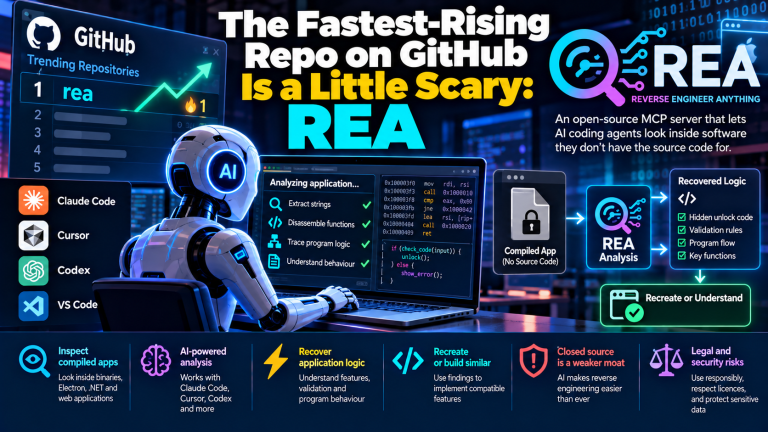
That is the idea behind REA (Reverse Engineer Anything), an open-source toolkit designed to help AI coding agents investigate software, from websites and JavaScript applications to desktop apps and native executable files.
Instead of guessing how a product works from its appearance, REA helps developers collect technical evidence and use it to recreate selected features. The project is available on GitHub.
But there is an important distinction: REA does not automatically produce a perfect copy of every application. It helps an AI agent understand a target and implement a similar solution using the evidence it can recover.
What is REA?
REA connects AI coding agents to software-inspection tools through the Model Context Protocol (MCP) and a command-line interface.
It can help investigate:
- Websites: Page structure, scripts, screenshots and selected browser information.
- JavaScript and Electron applications: Modules, imports, routes, storage and communication between application components.
- Native applications: Functions, strings, references, call relationships and decompiled pseudocode.
- .NET applications: Assembly metadata and intermediate-language instructions.
Depending on the target, REA can use analysis tools such as Hopper or Ghidra. Native analysis requires additional setup, while JavaScript application analysis can work without a native decompiler.
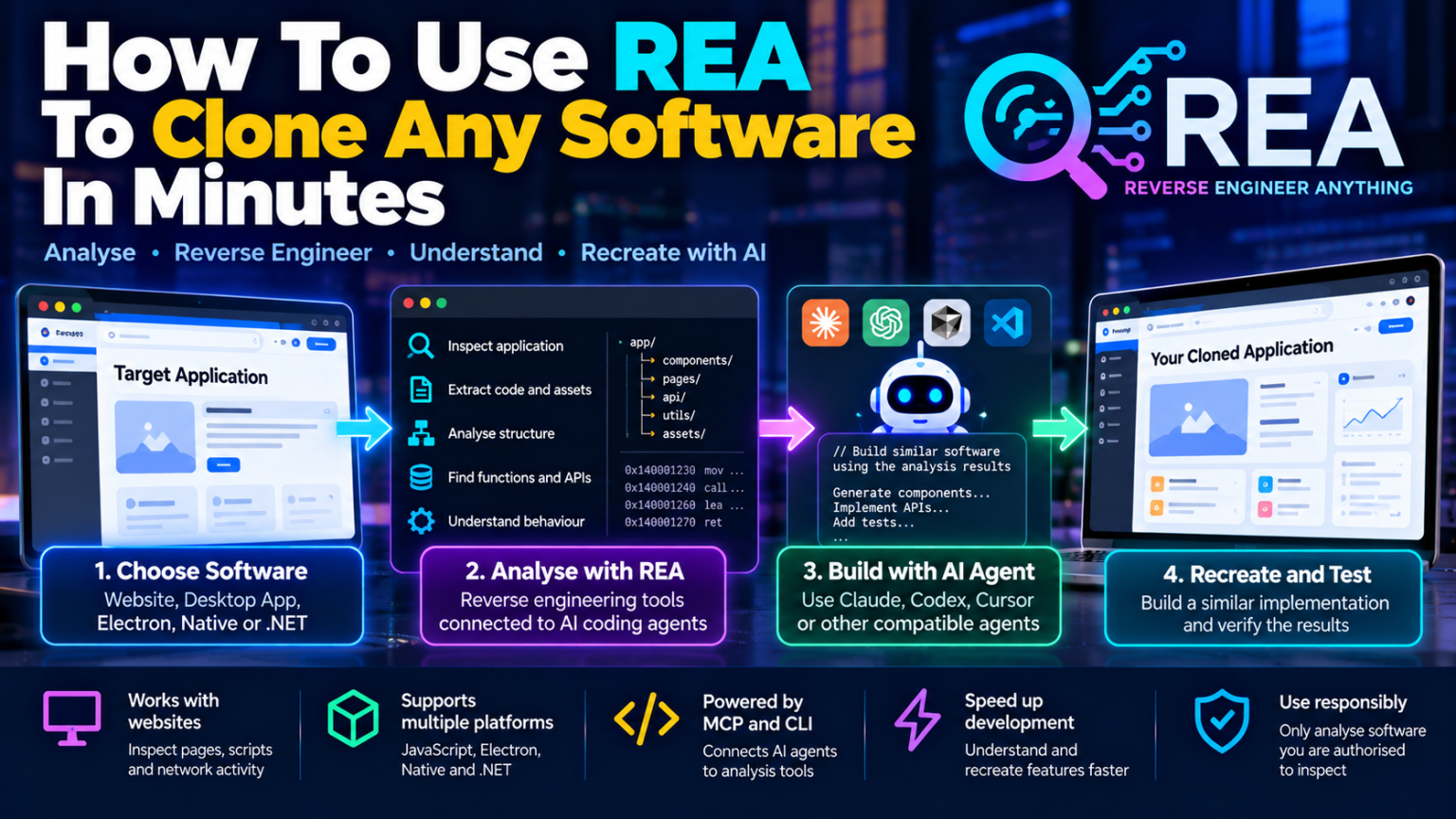
Its workflow has three broad stages: inspect the software, understand the evidence and recreate the required functionality in your own project.
Step 1: Install REA
First, make sure your computer has a supported version of Node.js and npm. The current project documentation lists Node.js 22.19 or newer in the 22.x series, 24.11 or newer in the 24.x series, or version 26 and later.
Open a terminal and run:
npx rea-agents@latest setupFollow the setup wizard to select your AI coding agent and review the configuration changes before approving them.
REA supports several coding environments, including Claude Code, Codex, Cursor and other compatible clients. Restart the selected agent after setup.
For the latest requirements and installation instructions, visit the official REA setup guide.
Step 2: Choose software you are authorised to inspect
Start with a website you own, an open-source application, a test application or software you have explicit permission to analyse.
For example, if you want to recreate a dashboard, begin by identifying its main screens, navigation, forms and data flows.
You can ask your coding agent:
Inspect this application and explain its architecture. Identify the main components, routes, data storage, important functions and dependencies. Show the evidence for each finding and list anything you cannot determine.
This gives the agent a specific investigation task instead of asking it to guess how the entire application works.
For a website, you can also provide a URL and ask your agent to inspect the selected page using REA’s documented website workflow.
Step 3: Analyse the application’s behaviour
Suppose you want to recreate a CSV export feature from an existing application.
Ask your agent to trace the feature from the user interface through the relevant functions and data transformations.
A useful prompt is:
Investigate how the CSV export feature works.

Identify the entry point, relevant functions, data format,
validation rules and output behaviour.

Show the evidence for each conclusion.
List unresolved questions and propose tests for the
implementation I will build in my own project.
REA can help the agent trace relevant code and relationships, inspect available evidence and identify uncertainty. This is especially useful when the original source code is unavailable.
The goal is to understand the feature’s behaviour—not merely reproduce how its interface looks.
Step 4: Ask the AI agent to build your version
Once the investigation is complete, ask the coding agent to implement the feature in your own project.
For example:
Using the investigation results, implement a similar CSV
export feature in my application using TypeScript.

Preserve my existing architecture and dependencies.
Add input validation, error handling and automated tests.
Do not copy proprietary assets or credentials.
Document any behaviour that remains uncertain.
The agent uses the findings from REA alongside its normal coding and testing tools to produce the implementation.
You can adapt the result to your preferred framework, database, user interface and deployment environment.
Step 5: Test the recreated software
A working screen does not necessarily mean the implementation behaves like the original.
Compare both versions using the same inputs and scenarios. Check validation errors, edge cases, data formats, network behaviour and expected outputs.
For a web application, test different screen sizes, navigation, form submissions and API responses. For a desktop application, test file handling, storage, application startup and relevant workflows.
Fix differences before expanding the project. Repeat the investigation and implementation process for each additional feature.
What are REA’s limitations?
REA can accelerate software investigation, but several limitations remain:
- It does not guarantee that original source code can be recovered.
- Decompiled output is an interpretation of compiled code, not necessarily the original implementation.
- Some application behaviour may be hidden, dynamic or dependent on external services.
- Complex applications can require substantial engineering, testing and infrastructure work.
- Native analysis may require additional software and compatible operating systems.
The REA project documentation describes its investigation methods and limitations in more detail.
You should also respect software licences, copyright, contractual restrictions and applicable law. Analyse only software you are authorised to inspect, and do not use reverse engineering to steal credentials, bypass access controls or reproduce protected material without permission.
Conclusion
REA offers a practical way to combine reverse engineering with AI-assisted software development. It helps coding agents investigate how applications work, gather technical evidence and use those findings to build similar features.
A small, well-understood feature may be recreated quickly. A complete production application—with authentication, payments, integrations, security and reliable data handling—usually requires considerably more work.
The best approach is to start with one authorised target, investigate one feature, build a minimal implementation and verify it with tests. That is how REA can turn software reverse engineering into a more structured and efficient development workflow.