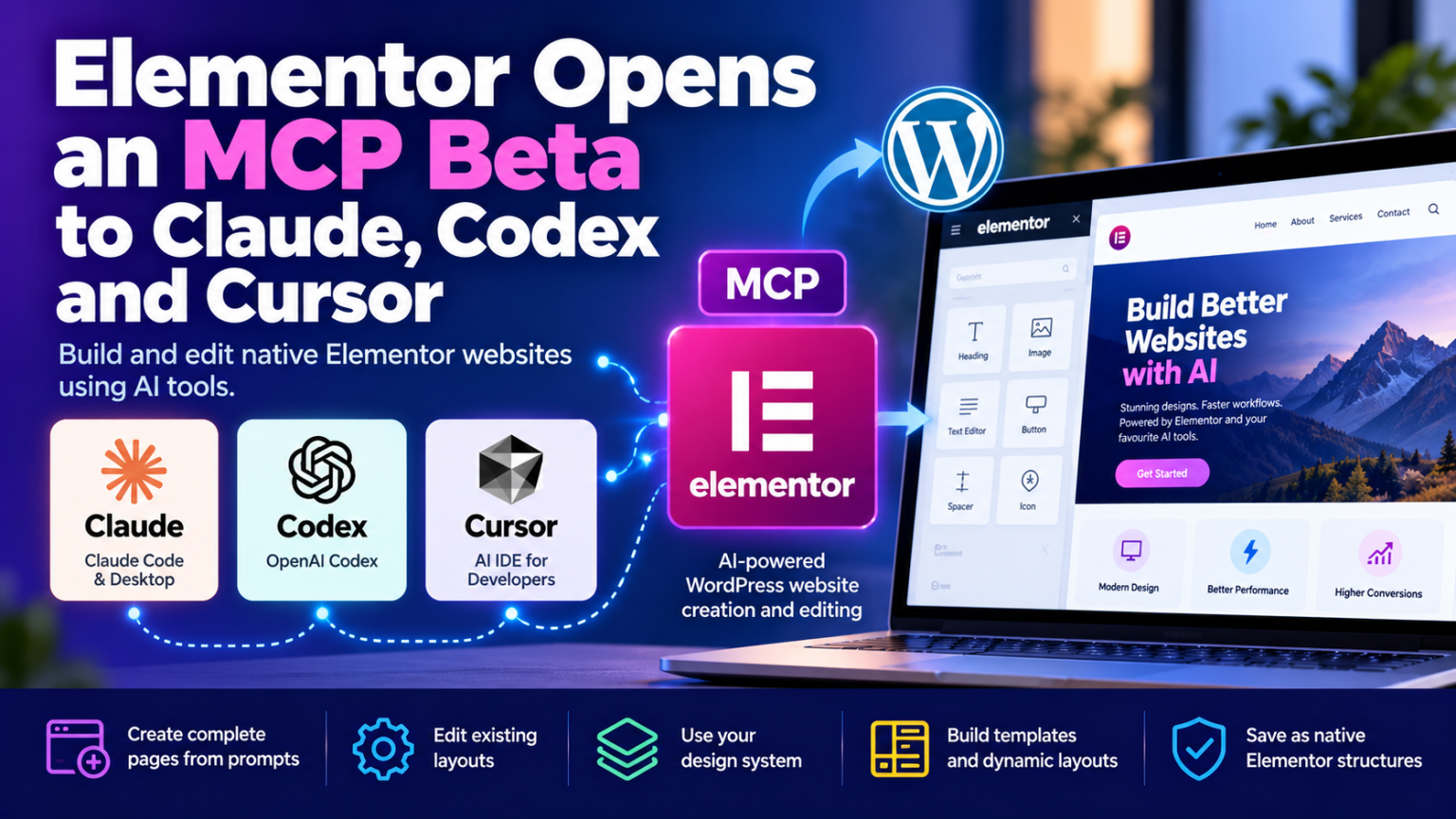
Elementor Opens an MCP Beta to Claude, Codex and Cursor
Building a WordPress website could soon involve far less manual dragging, dropping, and styling. Elementor has opened its official Model Context Protocol (MCP) integration to AI tools including Claude, OpenAI Codex, and Cursor, allowing them to create and edit website layouts directly inside Elementor.
Announced in September 2026, the integration connects external AI tools to Elementor through WordPress’s Abilities API. Instead of producing code that developers must manually transfer into a website, compatible AI agents can create real, editable Elementor structures.
For WordPress developers, agencies, and hosting providers, this could be an important step toward AI-assisted website development.
What Is Elementor MCP?
MCP stands for Model Context Protocol, a standard that allows AI applications to connect with external tools and services.
Elementor’s implementation gives compatible AI clients a way to interact with supported website-building capabilities. A developer can describe a page, provide a design reference, or request a layout change through an AI tool, then have the agent perform the supported work in Elementor.
Supported clients include:
- Claude Code and Claude Desktop for AI-assisted development and website editing.
- OpenAI Codex for coding and agent-driven workflows.
- Cursor for AI-assisted development.
- Other MCP-compatible clients that can use the relevant connection.
The important difference is that the output is not simply a block of HTML or CSS. Elementor saves generated work as native structures that can be opened and edited in its visual editor.
What Can AI Agents Do With Elementor?
The integration supports several practical website-building tasks.
1. Build complete pages from prompts
A developer could describe a landing page with a hero section, service cards, testimonials, and a contact section. The connected AI tool can generate the page structure and styling using supported Elementor elements.
This could reduce repetitive layout work, especially for agencies building similar pages across multiple client websites.
2. Edit existing layouts
AI agents can also redesign supported existing layouts. Instead of rebuilding a page from scratch, a developer can request changes to spacing, structure, styling, or responsive behaviour.
Elementor currently highlights support for its Atomic Editor structures, so compatibility with older or conventional layouts should not be assumed in every case.
3. Apply a consistent design system
The integration can work with design-system classes and variables, helping apply colours, typography, sizing, and other styling decisions consistently.
For agencies, this could make it easier to maintain a client’s visual identity across landing pages and other supported layouts.
4. Create website templates and dynamic layouts
Elementor describes capabilities for creating theme parts such as headers, footers, archives, and popups, along with components and dynamic content connections.
Some advanced capabilities depend on the site’s configuration, Elementor plan, and additional plugins. These features should therefore be checked against the current product requirements before being promised to clients.
How to Connect Claude, Codex or Cursor
Elementor provides a connection workflow from the WordPress dashboard.
- Open the WordPress admin area and navigate to Elementor → Elementor MCP.
- Enable MCP access and select the AI client you want to connect.
- Review the access acknowledgement and generate the setup prompt.
- Copy the generated prompt and paste it into the selected AI tool.
- Ask the agent to create or modify a supported page, then inspect the result in Elementor.
Elementor generates the required WordPress application password as part of the connection process. A manual configuration option is also available.
The beta has specific requirements. Elementor’s documentation lists WordPress 6.8 or later and Elementor Core and Elementor Pro 4.3.0 or later, where applicable. The Atomic Editor must also be activated for the relevant workflow, and the beta may require moving the site to a pre-release version of Elementor. Check the latest documentation before enabling it on a production site.
What Does This Mean for Hosting Providers?
Elementor’s MCP integration is not just a new convenience for designers. It could influence how hosting businesses deliver, maintain, and support WordPress websites.
Faster website delivery: Agencies may be able to produce initial page layouts more quickly, reducing time spent on repetitive design tasks.
New managed WordPress services: Hosting providers and agencies could develop AI-assisted website setup, landing-page creation, and design-maintenance services.
More efficient site maintenance: AI agents may help with supported editing and content workflows, although changes should be tested and reviewed before they are deployed.
Greater demand for staging environments: AI-generated layouts can introduce unexpected styling, compatibility, or performance problems. A staging site gives developers a safer place to validate changes before deploying them to customers.
These are potential benefits rather than guaranteed productivity gains. The results will depend on the quality of prompts, the complexity of the site, the AI model, and the amount of human review required.
Security: AI Access Needs Careful Control
Connecting an AI tool to WordPress introduces another access path into the website. That makes permissions, credentials, and review processes particularly important.
Elementor says access is restricted to site administrators for the documented setup, and the connected AI tool inherits the permissions of the WordPress user account used for the connection. Generated content is saved as a draft rather than published automatically. Elementor also describes conflict detection when an AI tool and the visual editor attempt to change the same page.
Website owners should still take precautions:
- Test the integration on a staging website before using it on a critical production site.
- Use an account with only the permissions required for the task.
- Protect application passwords and revoke credentials that are no longer needed.
- Back up the website and database before significant changes.
- Review generated layouts, links, forms, content, and responsive behaviour before publication.
A draft-first workflow helps, but it does not remove the need for access controls, backups, and human approval.
Will Elementor MCP Be Free?
Elementor says connecting to MCP is free, but using an external AI tool may incur charges under that provider’s pricing and usage limits. Elementor’s own plan structure also applies: basic sections and features can be generated for free, while Pro elements require an appropriate Pro plan.
For agencies, the total cost should include more than the connection itself. AI subscriptions, development time, testing, maintenance, and any required Elementor licences all affect the economics.
Final Thoughts
Elementor’s MCP integration brings AI-assisted development closer to the WordPress editing workflow. By connecting tools such as Claude, Codex, and Cursor to native Elementor structures, it offers a way to turn instructions and design references into editable website layouts.
For developers and hosting providers, the opportunity is to reduce repetitive work and explore new website-building services—not to remove developers from the process entirely. Design decisions, accessibility, performance, security, and final quality still require human oversight.
The next phase of WordPress development may not be about choosing between visual builders and AI tools. It may be about combining them, with AI handling more of the mechanical work while developers remain responsible for the result.