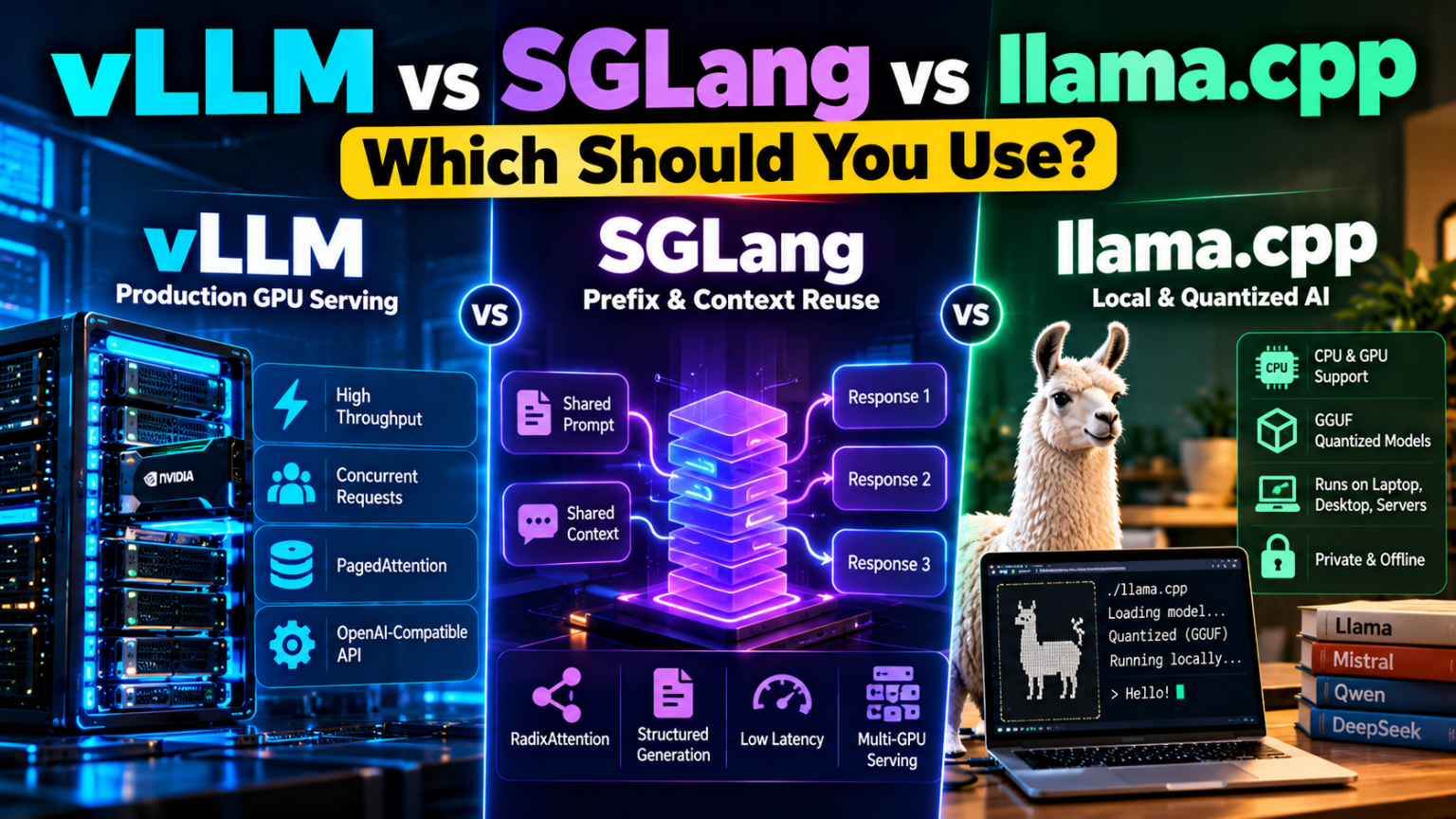
vLLM vs SGLang vs llama.cpp: Which Should You Use?
5-minute read | AI Infrastructure | LLM Deployment
Running an open-source AI model is easier than ever. But once you choose a model such as Llama, Qwen, DeepSeek, or Mistral, another important decision remains: which inference engine should you use to run it efficiently?
Three popular options are vLLM, SGLang, and llama.cpp. All three can run language models, but they approach inference differently.
- vLLM focuses on efficient, high-throughput model serving.
- SGLang emphasizes fast serving, reusable context, and efficient structured generation.
- llama.cpp focuses on portability, quantized models, and running AI across a wide range of hardware.
Choosing the wrong engine can mean unnecessary complexity, higher infrastructure costs, or disappointing performance. The best choice depends on your hardware, model format, number of users, and workload.
In this guide, we compare all three so you can select the right engine for a home AI server, development workstation, or production inference API.
1. What Is an LLM Inference Engine?
An inference engine is the software that loads a trained AI model and generates its responses when you send it a prompt.
Think of an AI model as an engine’s fuel source and the inference engine as the machinery that makes it useful. The model determines much of what the AI knows and how it responds, while the inference engine affects how efficiently it runs.
An inference engine manages tasks such as:
- Loading model weights into memory.
- Processing input prompts.
- Generating output tokens.
- Managing GPU memory and the model’s attention cache.
- Serving multiple requests.
- Exposing an API for applications to use.
For example, you might have an NVIDIA GPU with 24 GB of VRAM and want to host an open-source coding assistant. Your chosen inference engine determines which model formats are convenient, how requests are processed, and how much performance you get under your actual workload.
That is where vLLM, SGLang, and llama.cpp differ.
2. vLLM: Built for High-Throughput AI Serving
vLLM is an open-source inference and serving engine designed to run language models efficiently, especially when multiple requests arrive at the same time.
Its best-known innovation is PagedAttention, a technique that improves the management of the key-value (KV) cache used during inference. Instead of requiring large, contiguous memory allocations for every request, the system manages cache memory in smaller blocks.
vLLM also supports continuous batching, prefix caching, quantization, distributed inference, and an OpenAI-compatible API server.
Official documentation: vLLM
Why choose vLLM?
vLLM is a strong starting point when you want to serve an AI model to multiple users through an API.
Common use cases include:
- Hosting an AI API for applications.
- Serving coding assistants to a development team.
- Running chatbots with multiple concurrent users.
- Providing inference for retrieval-augmented generation (RAG).
- Deploying supported models across multiple GPUs.
Its serving-oriented architecture can improve GPU utilization when requests arrive continuously. It also integrates with the Hugging Face model ecosystem and offers a wide range of optimization options.
Advantages
- High-throughput serving for concurrent workloads.
- Continuous batching and efficient KV-cache management.
- Broad model and quantization support.
- OpenAI-compatible API options.
- Distributed inference capabilities for larger deployments.
Disadvantages
- GPU-focused deployments can require more setup than a lightweight local runtime.
- Performance and supported features vary by model architecture and hardware.
- A single-user local workload may not benefit from every serving optimization.
- Dependencies, GPU drivers, CUDA or ROCm compatibility, and model configuration require attention.
Best for: Developers and businesses building GPU-backed AI APIs, shared inference servers, and production workloads with multiple concurrent requests.
3. SGLang: Designed for Fast, Efficient Serving
SGLang is another high-performance inference framework for language and multimodal models. It targets low latency and high throughput across setups ranging from a single accelerator to distributed clusters.
One of its signature techniques is RadixAttention, which helps reuse common prompt prefixes. This is particularly useful when many requests share the same system instructions, document context, or conversation prefix.
Imagine an AI application that sends the same long system prompt with thousands of requests. Reprocessing the shared context can waste computation. Prefix caching can help avoid some of that repeated work when the relevant cached data remains available.
SGLang also supports continuous batching, structured outputs, speculative decoding, quantization, and multi-GPU execution.
Official documentation: SGLang
Why choose SGLang?
SGLang is worth evaluating when your workload repeatedly uses similar prompts or has complex generation patterns.
Potential use cases include:
- AI agents that repeatedly call tools.
- RAG systems with shared instructions or document prefixes.
- High-volume chat services.
- Reasoning-model serving.
- Workloads involving structured outputs or supported multimodal models.
Advantages
- Prefix caching through RadixAttention.
- Features for high-throughput and low-latency serving.
- Support for structured generation and various model families.
- Multi-GPU and distributed serving options.
- Useful optimizations for repeated-context workloads.
Disadvantages
- Configuration and troubleshooting can be challenging.
- Performance depends on the model, GPU architecture, request pattern, and supported kernels.
- Some advanced optimizations are workload-specific rather than universal improvements.
- Hardware and model compatibility should be checked before deployment.
Best for: AI infrastructure teams serving repeated prompts, agent workflows, or other workloads where prefix reuse and advanced serving optimizations can make a measurable difference.
4. llama.cpp: The Flexible Choice for Local AI
llama.cpp takes a different approach. It is a lightweight inference implementation written primarily in C/C++, designed to run language models across a broad range of devices.
It is particularly well known for its support of GGUF model files, quantization, and local inference on computers that do not have large data-center GPUs.
llama.cpp supports CPU inference, Apple Silicon through Metal, NVIDIA GPUs through CUDA, AMD GPUs through HIP, and several other backends. It can also divide model execution between CPU and GPU, allowing some workloads to run when the model does not fit entirely in GPU memory.
Official repository: llama.cpp on GitHub
Why choose llama.cpp?
If you want to experiment with AI on a desktop, laptop, workstation, or compact home server, llama.cpp is often a practical place to start.
Typical use cases include:
- Running quantized models on a personal computer.
- Hosting a private local chatbot.
- Testing models without a large GPU server.
- Running inference on Apple Silicon.
- Using CPU and GPU memory together.
- Deploying AI in environments with limited hardware resources.
Advantages
- Broad hardware portability.
- Strong ecosystem around GGUF quantized models.
- CPU-only inference is possible.
- CPU/GPU hybrid execution can expand hardware options.
- Includes a server mode with an OpenAI-compatible API.
- Useful for private, offline, and experimental deployments.
Disadvantages
- CPU or hybrid inference may be slower than a well-optimized GPU serving stack for demanding workloads.
- High-concurrency API serving may require more tuning and workload testing.
- Model formats and quantization choices can complicate comparisons with other engines.
- Not every model or advanced feature has identical support across all backends.
Best for: Local AI users, developers, edge deployments, and anyone who values hardware flexibility and quantized model support.
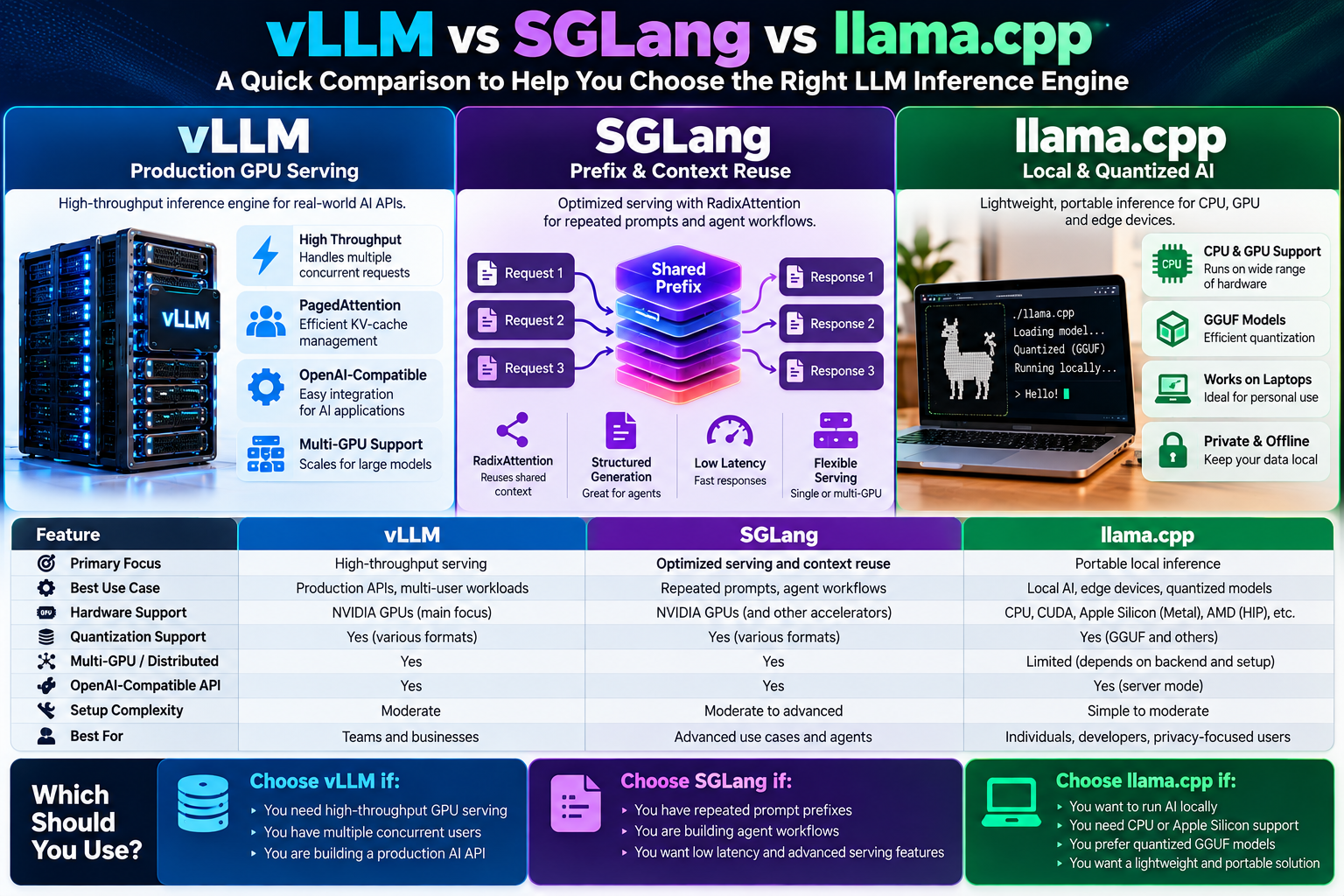
5. vLLM vs SGLang vs llama.cpp: Quick Comparison
| Feature | vLLM | SGLang | llama.cpp |
|---|---|---|---|
| Primary focus | High-throughput serving | Optimized serving and context reuse | Portable local inference |
| Memory optimization | PagedAttention and KV-cache management | RadixAttention, prefix reuse, and cache management | Quantization and efficient memory use |
| Multiple concurrent users | Strong fit | Strong fit | Possible; benchmark and tune |
| CPU-only deployment | Check current backend support and workload | Check current backend support and workload | A core use case |
| Apple Silicon | Check current support and configuration | Check current support and configuration | Strong Metal support |
| GGUF workflow | Supported in some configurations; verify compatibility | Verify model and backend support | A core format |
| Multi-GPU serving | Yes, with supported configurations | Yes, with supported configurations | Supported options depend on backend and setup |
| Setup for local experimentation | More infrastructure-oriented | More infrastructure-oriented | Often the simplest starting point |
| Typical use | Production APIs | Production APIs and prefix-heavy workloads | Personal AI and flexible deployments |
The comparison is about typical strengths, not hard limits. All three projects evolve rapidly, and their capabilities overlap. Check the latest documentation for your specific model, hardware, and required features.
6. Which Engine Is Fastest?
There is no universal winner.
An inference benchmark is meaningful only when it specifies the model, precision or quantization, hardware, input and output lengths, concurrency, cache settings, and performance metric.
Three measurements are especially important:
- Time to first token (TTFT): How long a user waits before seeing the first generated token.
- Token generation speed: How quickly the model produces subsequent tokens.
- Throughput: How much total output the server generates across all requests.
For example, a personal chatbot may prioritize TTFT and single-user responsiveness. A shared API may care more about aggregate throughput and cost per request. An agent system with a long, repeated system prompt may benefit from effective prefix caching.
A public benchmark is useful for identifying possibilities, but it cannot predict performance on every deployment. For a concrete example, see this reproducible vLLM vs SGLang vs llama.cpp benchmark project, which reports results for particular GPU, model, and workload combinations.
How to benchmark fairly
- Use the same model and comparable precision or quantization.
- Run on the same hardware wherever the engines support it.
- Test both single-user and concurrent workloads.
- Measure TTFT, output token speed, throughput, and tail latency.
- Include memory consumption and successful-request rate.
- Repeat tests after warm-up and under realistic input lengths.
Do not select an engine based on a single tokens-per-second number.
7. Hardware Matters More Than You Might Think
Before selecting an engine, consider the hardware on which the model must run.
If you have an NVIDIA GPU server
Start by testing vLLM. If your workload shares long prefixes or benefits from SGLang’s supported optimizations, benchmark SGLang as well.
If you have an Apple Silicon Mac
llama.cpp is a natural starting point because of its Metal support and quantized-model ecosystem. Verify that your chosen model and required features are supported by the version you install.
If you have a CPU-only server
llama.cpp is usually the most practical first experiment. Performance will depend heavily on the CPU, RAM bandwidth, model size, quantization, and context length.
If you have limited VRAM
Quantization may let you run a larger model or reserve more memory for context and concurrent requests. llama.cpp’s GGUF ecosystem is especially useful here, but vLLM and SGLang also support several quantization formats.
Remember that model weights are only part of the memory requirement. The KV cache, runtime overhead, context length, and number of concurrent requests also consume memory.
8. Deployment Examples
The following examples illustrate the general deployment styles. They are starting points, not guaranteed commands for every model, GPU, or software version.
vLLM: Serve a model through an API
After installing a compatible vLLM environment, a typical launch pattern is:
vllm serve MODEL_IDReplace MODEL_ID with a supported model identifier. Consult the vLLM quickstart for installation, hardware requirements, model-specific options, and API usage.
SGLang: Launch a model server
A common launch pattern is:
python -m sglang.launch_server \
  --model-path MODEL_ID \
  --host 0.0.0.0 \
  --port 30000
Replace MODEL_ID with a supported model identifier. Follow the official SGLang documentation for the correct environment, launch parameters, and model compatibility.
llama.cpp: Run a GGUF model
After installing llama.cpp and obtaining a compatible GGUF model, a typical command is:
llama-server \
  -m /path/to/model.gguf \
  --host 127.0.0.1 \
  --port 8080
The exact executable name and options can vary by build. See the llama.cpp repository for current installation and server instructions.
Security note: These commands are illustrative. Before exposing an inference server to the internet, configure authentication, network access controls, TLS or a trusted reverse proxy, request limits, and monitoring. Binding to 0.0.0.0 can make a service reachable on network interfaces; do not expose it publicly without appropriate protections.
9. Which One Should You Use?
Here is a practical decision guide.
Choose vLLM if:
- You are building an AI API for multiple users.
- Your main priority is production GPU throughput.
- You want a serving framework with batching, model support, and distributed inference options.
Choose SGLang if:
- You have repeated prompt prefixes or agent-style workflows.
- You want to evaluate RadixAttention and other serving optimizations.
- Your workload benefits from structured generation or specialized inference features.
Choose llama.cpp if:
- You want to run AI locally on a laptop, desktop, or small server.
- You need CPU inference or CPU/GPU hybrid execution.
- You want to use quantized GGUF models and a broad range of hardware.
My recommendation
For a production GPU-backed API, start with vLLM and benchmark SGLang if prefix reuse or workload-specific optimizations could matter.
For a local AI workstation or a resource-constrained machine, start with llama.cpp.
For an agent platform or a service with repeated long prompts, include SGLang in your performance tests.
You do not need to choose the same engine for every deployment. A company can use llama.cpp for local development and vLLM or SGLang for production serving, provided the model formats and application interfaces fit the workflow.
Conclusion
vLLM, SGLang, and llama.cpp solve overlapping but different inference problems.
vLLM is a strong starting point for high-throughput GPU serving. SGLang deserves attention when prefix caching and advanced serving optimizations fit the workload. llama.cpp is a practical choice for portable, quantized, local AI.
The best engine is not necessarily the one with the highest advertised benchmark score. It is the one that runs your chosen model reliably, meets your latency and throughput requirements, fits your hardware budget, and remains manageable in production.
Start with your workload, choose two likely candidates, and benchmark them on your actual hardware before committing.
Official resources: vLLM documentation · SGLang documentation · llama.cpp repository